Time tracking software for shift teams

Time tracking software with a clear audit trail.

Shiftdesk connects app, browser and tablet-terminal entries with approvals, target-to-actual comparison, working-time accounts and payroll preparation in one traceable workflow.

No credit card Β· hosted in Frankfurt Β· built for small and medium-sized shift operations

  • Plan-based, clock-based and hybrid modes
  • Manual additions with approval
  • Working-time account and month-end close from Pro

1 Β· Capture

Schematic example
  • App

    on the go

  • Browser

    at a workstation

  • Tablet

    shared by a team

2 Β· Entries with source and status

  1. Jonas Weber

    App Β· early shift

    Captured
  2. Jonas Weber

    Break Β· added manually

    For review
  3. Jonas Weber

    App Β· target +4 min

    Approved

3 Β· Process

Time record
8:06 h
Time account
+4 min
Payroll preparation
ready

More than a digital time clock

What time tracking software should do for an operation

A time clock records an arrival or departure. Good time tracking software turns that event into a reviewable process by assigning it to a person, a day and, where available, a planned shift.

  1. 01

    Time event

    Start, break and end events come from the app, browser, tablet or a manual addition.

  2. 02

    Time entry

    Source, time, break and deviation are displayed as one connected record.

  3. 03

    Review

    Open entries can be approved or corrected with a traceable reason.

  4. 04

    Handover

    Approved hours feed reports, working-time accounts and preparatory exports.

Shiftdesk supports documentation and review. It does not replace operational checks that breaks were actually taken or a legal assessment of an individual case.

Capture time where work starts

A mobile app on the go, a shared tablet for the team

Not every workplace needs the same device. Employees can clock for themselves, while teams without company phones use a central PIN terminal.

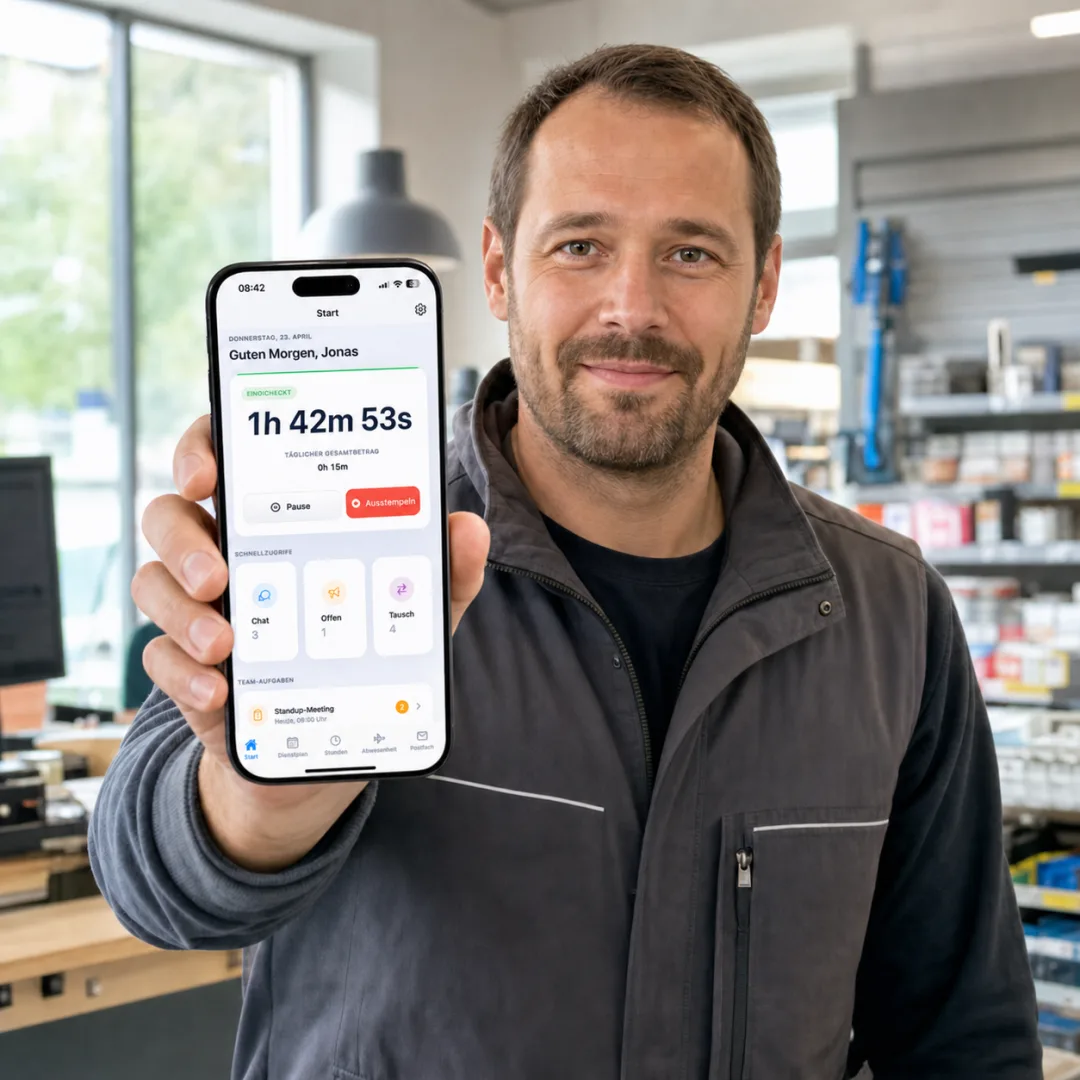
Male employee showing the Shiftdesk mobile time tracking appProduct interface with fictional example data

Mobile time tracking for changing work locations

Employees capture their start, break and end in the app. If location validation is enabled, a single position is checked at the time of clocking β€” no movement profile is created.

Explore app-based time tracking
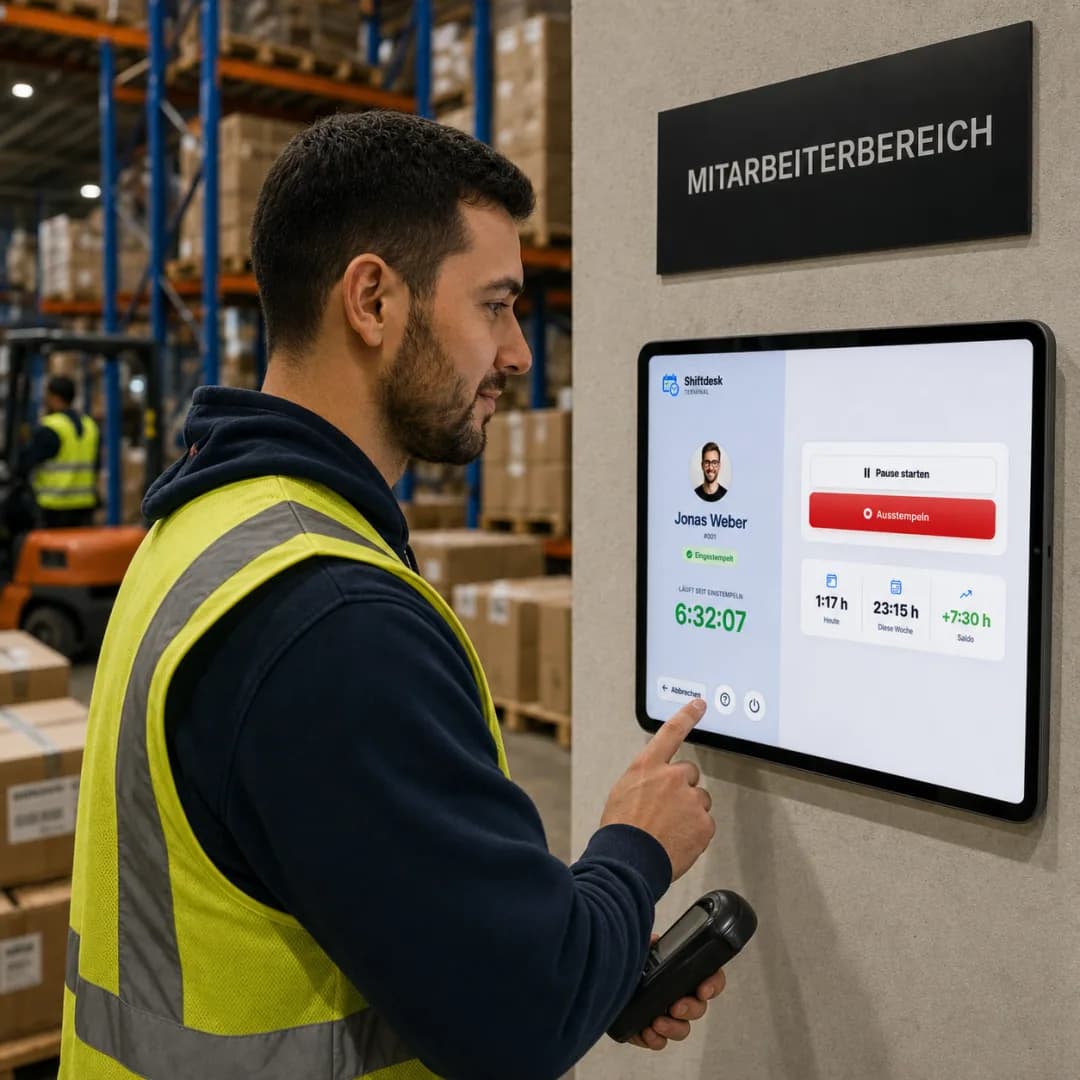
Male warehouse employee clocking at the Shiftdesk tablet terminalProduct interface with fictional example data

Tablet terminal for a warehouse, kitchen or entrance

An existing tablet becomes a shared clocking terminal. Employees identify themselves with a personal PIN and do not need their own smartphone.

Explore the tablet time clock

From clocking to month-end

The lifecycle of a time entry

Each step has a clear purpose and visible status, so teams can distinguish captured time from time that has already been reviewed.

  1. 01

    Captured

    A time event originates in the app, browser, terminal or a manual entry.

  2. 02

    Assigned

    Shiftdesk connects it with the date, person and, where available, the planned shift.

  3. 03

    Reviewed

    Managers see deviations and process open additions.

  4. 04

    Approved

    The confirmed entry becomes the basis for reports and the time account.

  5. 05

    Closed

    A closed month is read-only and can only be reopened deliberately.

Three capture modes

The workflow adapts to your operation

Trust-based working time, consistent clocking or a link between plan and actual hours: the right mode depends on how closely your schedule represents the work that actually happens.

Plan as the starting point

Plan-based

Published shifts initially represent working time. Managers only correct deviations that actually occurred.

Useful for stable schedules and trust-based time.

Actual time decides

Clock-based

Clock-in and clock-out events create actual hours. An existing schedule supplies additional context.

Useful for variable end times and consistent clocking.

Plan and actual together

Hybrid

The schedule creates the expected entry; clock events supplement or replace planned values without creating a duplicate.

Useful for shift operations that need target-to-actual comparison.

Time tracking software with a working-time account

Captured hours become a traceable balance

The working-time account separates each component instead of displaying only one plus or minus value. This makes the result reviewable before month-end close.

The working-time account and month-end close are available from the Pro plan. An open period can change as further entries are reviewed.

How to manage a working-time account

Example for an open month

Carry-over
+4:00 h
balance from last month
Target/actual variance
+6:30 h
166:30 h actual βˆ’ 160:00 h target
Premiums
+1:00 h
time-based premium
Corrections
βˆ’0:30 h
documented adjustment

Current balance

+11:00 h

Period open

Choosing software

10 points to check before making a decision

A long feature list says little about whether month-end will work. What matters is whether capture, correction, approval and handover form one coherent process.

  1. 01

    Multiple capture methods

    App, browser, terminal and manual entries for different workplaces.

  2. 02

    Source labels

    Make it clear where an entry originated and whether it was changed.

  3. 03

    Approvals

    Review additions and deviations in an ordered workflow.

  4. 04

    Break rules

    Apply configured rules without claiming that a break was actually taken.

  5. 05

    Target vs actual

    Compare the planned shift and captured time in the same context.

  6. 06

    Working-time account

    Show carry-over, target, actual, premiums, corrections and balance separately.

  7. 07

    Change history

    Document edits with time and the responsible person.

  8. 08

    Month-end close

    Close reviewed periods and control later changes deliberately.

  9. 09

    Payroll preparation

    Transfer reviewed data into suitable file and export processes.

  10. 10

    Roles and privacy

    Limit access and configure optional location checks transparently.

Transparent plan boundaries

Start with Basic, add the month-end workflow with Pro

Core capture is included in every plan. Working-time accounts, period close and advanced payroll preparation support more extensive workflows.

Capture and review

Basic

  • Start/stop timer in web and app
  • Manual time entries with approval
  • Standard break rules
  • Change history for time entries
  • Optional location validation while clocking

Close and hand over

Pro and Enterprise

  • Working-time account with plus/minus balance
  • Period lock and month-end close
  • Custom break rules and department overrides
  • Tablet kiosk with a personal PIN
  • Advanced reports and payroll preparation
  • DATEV LODAS, Lohn und Gehalt and CSV files

Shiftdesk prepares data technically but does not run payroll and does not replace professional review before handover.

Clear system boundaries

When Shiftdesk fits β€” and when another solution makes more sense

A particularly good fit if …

  • the schedule and actual working time should stay connected
  • employees capture time on different devices or at different locations
  • additions, approvals and corrections need to remain traceable
  • you need a working-time account and a structured month-end close

Another solution is a better fit if …

  • project hours must be billed directly to customers
  • you expect a full payroll engine inside time tracking
  • specialist biometric hardware is mandatory
  • you require an automated legal assessment of individual cases

Rollout

Introduce time tracking software in a controlled way

A good start does not begin with as many rules as possible. It begins with a clear operational workflow.

  1. 01

    Define the working-time model

    Decide which teams work plan-based, clock-based or in hybrid mode.

  2. 02

    Choose capture methods

    Match app, browser and tablet to the real workplaces.

  3. 03

    Configure rules and roles

    Set breaks, approvals, locations and permissions deliberately.

  4. 04

    Test with a pilot team

    Run through schedule deviations, additions and forgotten clock-outs in practice.

  5. 05

    Review month-end

    Check the time account, period close and preparatory exports before the wider rollout.

Pricing

The right scope for your time tracking workflow

Start with core capture or connect the working-time account, month-end close and payroll preparation in Pro. Every plan includes a 14-day trial.

Basic

€25

per month Β· 6 employees included

  • Shift scheduling with drag and drop
  • Time tracking (timer + manual)
  • Absences with leave balance
  • Up to 3 locations
Try it free for 14 days
Popular

Pro

€45

per month Β· 12 employees included

  • All Basic features
  • Unlimited locations
  • Payroll preparation & DATEV
  • Tablet time clock (kiosk mode)
Try it free for 14 days

Enterprise

€120

per month Β· 30 employees included

  • All Pro features
  • Public REST API
  • Budget management & custom fields
  • SLA support (8-hour response time)
Contact us
See all details and pricing calculator

All prices exclude VAT Β· Cancel anytime Β· No credit card required

Time tracking software in practice

What digital working-time capture changes for shift teams

Why a timer alone is not yet time tracking software

A running timer initially answers only when a person started or stopped. For an operational process, those events must be assigned to a working day, supplemented with breaks and reviewed before reporting. This context is what turns a digital time clock into dependable time tracking software.

Shiftdesk therefore keeps more than the result. The source and status of an entry remain visible so managers can distinguish captured, open and approved hours.

Review time tracking and scheduling together

In a shift operation, an expectation exists before actual hours are captured: the published schedule. When planning and time tracking live in separate systems, target values must be transferred manually and deviations have to be found in spreadsheets.

A connected target-to-actual view shows whether the start, end or break differs from the planned shift. The responsible manager still decides whether the deviation is correct and can be approved.

Break rules support checks but do not prove a break was taken

Shiftdesk can apply configured break rules and the statutory default values. Custom rules are available from Pro. A calculated break deduction does not prove that the employee actually took the break.

Operational organisation, employee information and review therefore remain the employer's responsibility. Software prompts support plausibility checks but are not automated legal advice.

Working-time accounts and month-end separate live from reviewed data

A working-time account is easier to understand when carry-over, target, actual, premiums and corrections are shown separately. A plus or minus balance can then be reviewed before close instead of appearing only as a final number.

At month-end, the reviewed period becomes read-only. If a later change is required, an authorised user deliberately reopens the period. This creates a controlled correction and re-review process.

Payroll preparation is not the same as payroll processing

Approved working hours, absences, premiums and cost centres can be prepared for downstream processes. Shiftdesk can create files for DATEV LODAS, DATEV Lohn und Gehalt and CSV-based workflows.

Professional review and payroll processing remain with the company, payroll office or tax adviser. This boundary prevents a technical export from being mistaken for a tax or social-security assessment.

Frequently asked questions

Questions about Shiftdesk time tracking software

What is time tracking software?
Time tracking software records work starts, ends and breaks digitally and connects those data with review, reporting and, depending on scope, a working-time account and payroll preparation.
How is it different from a digital time clock?
A digital time clock mainly captures arrivals, departures and breaks. Time tracking software adds assignment, status, corrections, approvals, target-to-actual comparison and downstream reporting.
Which capture methods does Shiftdesk support?
Working time can be captured through the employee app, browser, tablet PIN terminal or a manual addition. Teams can choose the suitable method for each workplace.
How do manual additions work?
Employees or authorised users add missing hours. The entry remains open for review until a manager approves it or makes a traceable correction.
How does the working-time account work?
The working-time account displays carry-over, target, actual, time-based premiums, corrections and the resulting balance separately. Open months change as further entries are reviewed.
Is the working-time account included in every plan?
No. Start/stop capture, manual entries, standard break rules and change history are part of core capture. The working-time account and period close are available from Pro.
How are the schedule and actual hours connected?
In plan-based or hybrid mode, a published shift supplies the target context. Clocked or corrected hours are compared with it, which keeps deviations visible.
Does Shiftdesk calculate breaks automatically?
Shiftdesk can apply configured break rules and default values. An automatic deduction does not confirm that a break was actually taken; operational review remains necessary.
Does this automatically make time tracking legally compliant?
No. Shiftdesk supports documentation and provides prompts for selected working-time rules. Collective agreements, exceptions and individual legal assessments still require professional review.
Which exports are available?
From Pro, advanced reports, CSV and preparatory files for DATEV LODAS and DATEV Lohn und Gehalt are available. Shiftdesk does not run full payroll.
Does Shiftdesk continuously track employees by GPS?
No. If a company enables optional location validation, one location point is checked only while clocking in or out. No continuous movement profile is created.
Can a closed month be corrected?
Yes, but not silently. A closed period is initially read-only and must be deliberately reopened by an authorised user before corrections can be made.
Is Shiftdesk designed for project time and customer billing?
Shiftdesk focuses on working-time capture, shift scheduling and payroll preparation. Detailed project time tracking with customer billing is not its primary purpose.
Ready for better shift scheduling?

Start your 14-day free trial now β€” free and no credit card required. Or book a personal demo.