Employee time tracking for shift businesses

Employee time tracking that connects the schedule with actual time

Employees clock in using the iOS and Android app or a shared PIN tablet. Authorized managers review times, breaks and schedule deviations in the browser.

No credit card · Hosted in Frankfurt · For small and medium-sized shift businesses

  • Employee app
  • Browser dashboard
  • PIN tablet from Pro
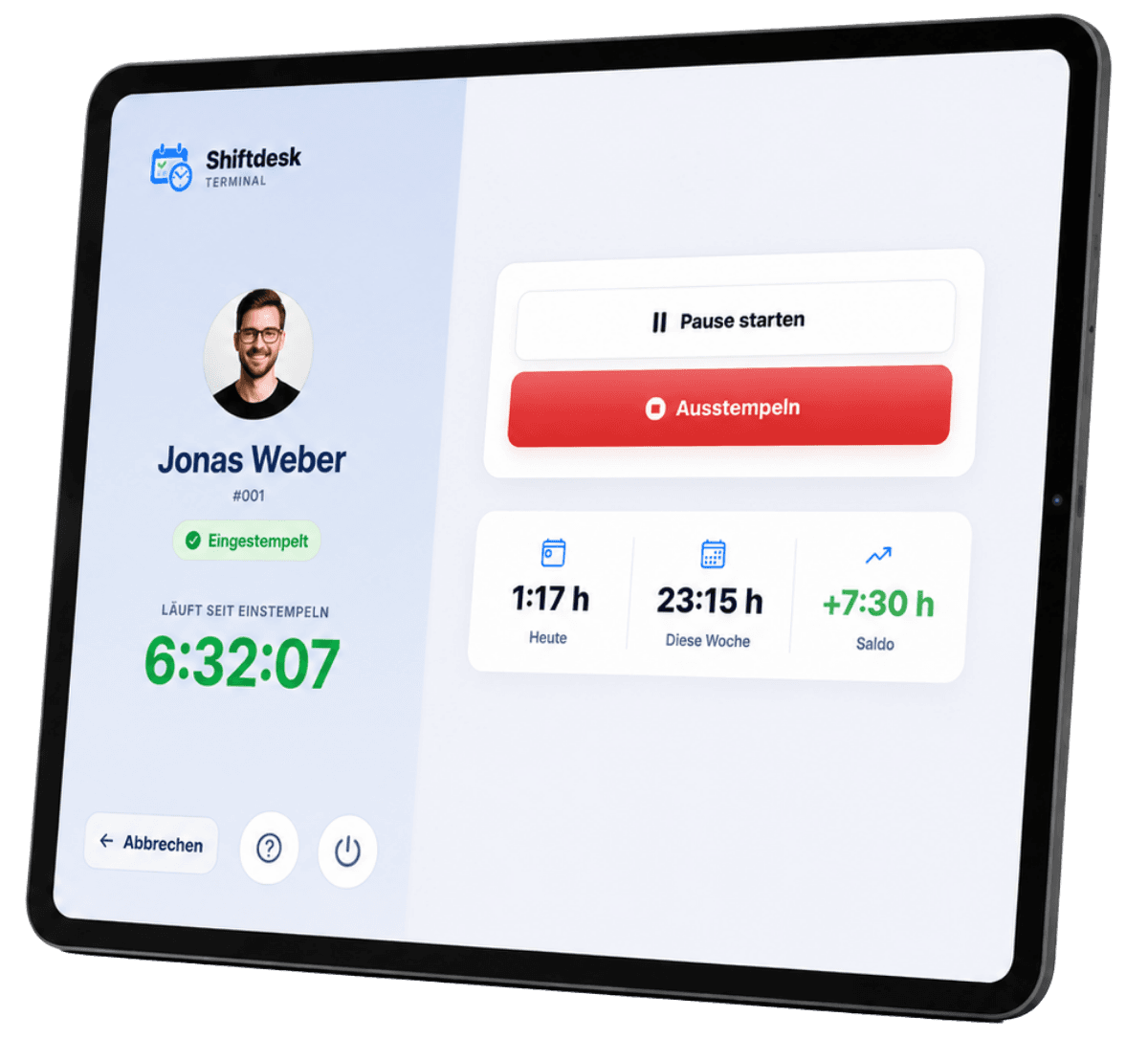
Real Shiftdesk tablet terminal interface with employee profile and active clocking status
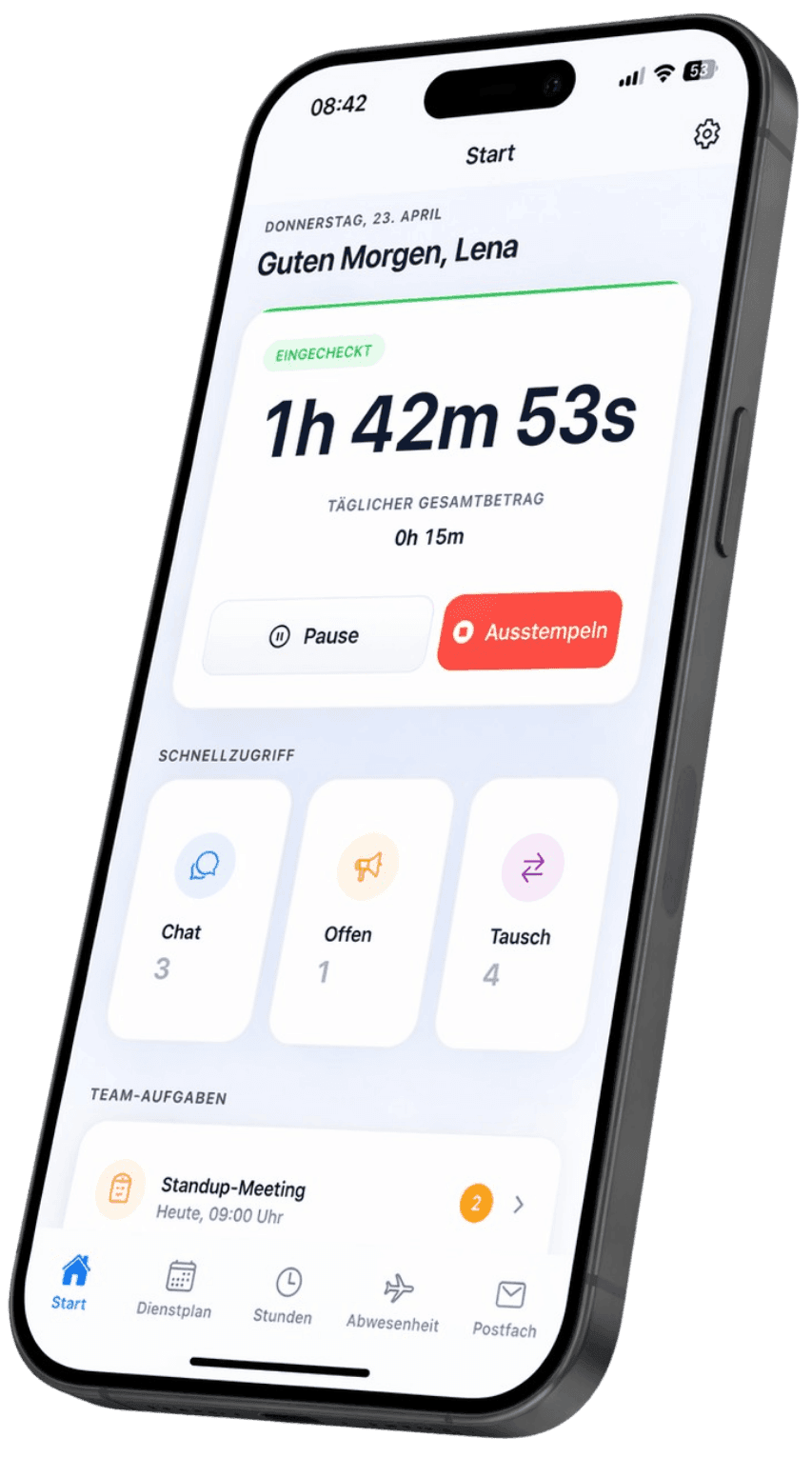
Real Shiftdesk employee app with active time tracking

Optionally one location point when clocking – no continuous tracking.

Real Shiftdesk product interfaces

Hosted in Frankfurt (EU)
Role-based access
App, browser and PIN tablet
No movement profile

Three tracking methods

The right time tracking method for every workplace

Mobile teams, fixed locations and managers at a computer work differently. Shiftdesk brings their time data together in one operational workflow.

Basic, Pro & Enterprise

Employee app for iOS & Android

Employees start and stop work or breaks in the app. Schedule changes and their personal time data remain in the same place.

Suitable for
Shift teams, mobile employees and changing workplaces
Requirement
Personal app access and an active internet connection
For authorized roles

Review and entry in the browser

Authorized managers use the desktop dashboard, review entries, handle justified corrections and keep track of their status.

Suitable for
Owners and HR staff
Requirement
Dashboard permission; not general employee self-service
From Pro

Shared PIN tablet

A tablet at the entrance, in the warehouse or in the kitchen becomes a shared time clock. Employees identify themselves using a personal PIN.

Suitable for
Fixed workplaces and teams without company smartphones
Requirement
Pro plan, connected tablet and configured kiosk access
Explore the tablet time clock

Clocking currently requires an active internet connection. An offline queue with later synchronization is not currently part of Shiftdesk.

From clocking to handover

A clear workflow instead of scattered timesheets

Capturing time is only the beginning. What matters is how a record is matched to the schedule, reviewed and prepared for the monthly process.

  1. 01

    Clock in

    Start and end times come from the app, browser or PIN terminal.

  2. 02

    Record the break

    Start, end and actual break duration remain traceable.

  3. 03

    Match the schedule

    Shiftdesk connects the entry to the corresponding shift.

  4. 04

    Review

    Managers see deviations and the processing status.

  5. 05

    Process further

    Approved times feed the hours account and exports, depending on the plan.

Schematic representation of the Shiftdesk workflow – not an additional product interface.

The Shiftdesk advantage

Scheduled target time meets clocked actual time

Standalone time clocks often only know when someone arrived and left. Shiftdesk also knows the scheduled shift. Managers can see what was planned, what was actually recorded and where a review is needed.

  • Plan-based, clock-based and hybrid modes for different operational workflows
  • Target and actual times without transferring data between separate tools
  • Review status and change history instead of unclear spreadsheet versions

Example target-to-actual workflow

Jonas · Early shift

Reviewed

Scheduled target

08:00–16:30

8:00 h planned · 30 min break

Clocked actual time

08:03–16:34

8:01 h recorded · 30 min break

Result

+0:01 h · reviewed for approval

The values illustrate an example workflow. Review and approval remain the responsibility of the authorized people in the business.

Features and plan boundaries

What is included – and what is added with Pro

Transparent boundaries make selection easier. Core tracking is available in every plan; advanced monthly and export workflows start with Pro.

All plans

Start, stop, break and corrections

Clock working time and add justified manual entries in the browser for review.

All plans

Schedule connection

Compare planned shifts and recorded times in the same system.

All plans

Review status and change history

See processing states and trace changes with timestamps.

All plans

Optional location check

One location point can be captured when clocking, with no continuous tracking.

From Pro

Hours account, month-end close & exports

Plus/minus balances, locked periods and CSV, Excel, PDF and DATEV files for payroll preparation.

From Pro

PIN tablet and custom break rules

A shared terminal and extended configuration for different operational workflows.

Intentional product boundary: Shiftdesk is not project time tracking, client billing or a complete payroll system. It focuses on working times in shift businesses and payroll preparation.

Compare all plans

Privacy in everyday work

Location checks without continuous tracking

When the location check is enabled, Shiftdesk captures one location point at the time of clocking. No movement data is recorded. The employer decides whether and how to use it while observing operational and data-protection requirements.

Read the privacy policy

Personnel data is hosted in Frankfurt within the EU.

The location check is optional and configurable per workplace.

Roles and permissions limit access to time data.

No background tracking and no movement profile.

Introducing it in the business

Get started in four controlled steps

The actual setup time depends on team size, plan, works agreements and your previous workflow. We therefore do not promise a universal setup in just a few minutes.

  1. 01

    Define the workflow

    Decide who uses the app, browser or PIN tablet and who reviews entries.

  2. 02

    Configure the team and rules

    Add employees, locations, weekly hours and appropriate time tracking rules.

  3. 03

    Test with a small team

    Run through clocking, breaks, corrections and approval in the real workflow.

  4. 04

    Support the rollout

    Distribute access, train managers and review the first accounting periods deliberately.

Transparent calculation

Time tracking that fits your team size

Basic includes the central tracking functions. PIN terminal, hours account, month-end close and advanced exports are available from Pro.

Basic

€25

per month · 6 employees included

  • Shift scheduling with drag and drop
  • Time tracking (timer + manual)
  • Absences with leave balance
  • Up to 3 locations
Try it free for 14 days
Popular

Pro

€45

per month · 12 employees included

  • All Basic features
  • Unlimited locations
  • Payroll preparation & DATEV
  • Tablet time clock (kiosk mode)
Try it free for 14 days

Enterprise

€120

per month · 30 employees included

  • All Pro features
  • Public REST API
  • Budget management & custom fields
  • SLA support (8-hour response time)
Contact us
See all details and pricing calculator

All prices exclude VAT · Cancel anytime · No credit card required

Guidance before choosing

Employee time tracking explained clearly

What is employee time tracking for a business?

Employee time tracking documents the start, end and duration of daily working time. Shift businesses also have to handle breaks, changing workplaces, corrections and comparisons with planned shifts.

A useful solution therefore collects more than clocking events. It shows which shift an entry belongs to, whether it has been reviewed and which data is ready for an hours account or payroll preparation.

App, browser or tablet: which method fits?

The employee app suits personal and mobile use. A shared PIN tablet fits fixed workplaces where not everyone has a company phone. In Shiftdesk, the browser dashboard is for authorized managers to enter and review data, not general self-service for every employee role.

Many businesses combine several methods. Define responsibilities before launch and test the workflow with a small team.

What should time tracking for shift businesses do?

In addition to starts, ends and breaks, it should know scheduled shifts, surface deviations and keep corrections traceable. A review status, hours account and clear export paths are especially useful for the monthly process.

Shiftdesk focuses on this operational workflow. Project budgets, client billing and complete payroll are intentionally outside its scope.

Evaluate obligations and working-time rules separately

Employers must record working times systematically. The organizational and technical setup required for a particular business should be assessed separately.

Shiftdesk can take configured rules into account and display notices. Automated notices do not replace the operational check of whether a break was actually taken or a legal review of an individual case.

Questions before you start

Frequently asked questions about time tracking

What is employee time tracking for a business?
It documents the start, end and duration of daily working time. Depending on the business, breaks, corrections, approvals and comparison with scheduled shifts are also part of the process.
Is working-time recording mandatory in Germany?
Employers must set up a system to record working time. The concrete implementation depends on the applicable framework and the business. Shiftdesk does not replace individual legal advice.
Does time tracking have to be electronic?
Not every operational situation automatically requires the same technical method. The applicable rules and an objective, reliable and accessible process are decisive.
How do employees record time with Shiftdesk?
Employees clock in using the iOS or Android app or a shared PIN tablet from Pro. Authorized managers also work in the browser dashboard.
Does every employee need a smartphone?
No. A shared PIN tablet can be used at a fixed workplace. Kiosk mode is available from the Pro plan.
Can every employee clock in through the browser?
The web timer is part of the dashboard for authorized roles. General employee self-service uses the app or, from Pro, the PIN tablet.
Does clocking work without internet access?
Not currently. Clocking requires an active internet connection; an offline queue with later synchronization is not included at this time.
How are the schedule and actual working time connected?
Scheduled shifts provide the target time and clocking provides the actual time. Shiftdesk matches both in the same system and surfaces deviations for review.
Does Shiftdesk ensure breaks are actually taken?
No. Shiftdesk can take configured break rules into account and document break times. The business must still verify whether a break was actually taken.
Does Shiftdesk track an employee's location continuously?
No. When the optional location check is enabled, only one location point is captured at the time of clocking. Shiftdesk does not record continuous movement data.
Which time tracking features require Pro?
Pro includes the PIN terminal, hours account, month-end close, customizable break rules, advanced reports and CSV, Excel, PDF and DATEV files.
Does Shiftdesk handle complete payroll?
No. Shiftdesk prepares reviewed time data and plan-dependent export files for payroll. Payroll itself remains in the payroll system or with the tax advisor.
Is Shiftdesk project time tracking?
No. It focuses on employee working times, shift scheduling and payroll preparation, not billable project time or client invoicing.
How much does Shiftdesk cost?
Shiftdesk starts at €25 per month plus VAT and includes six employees. The 14-day trial requires no credit card.

Track working time where the shift starts

Try the app, browser dashboard and connected schedule free for 14 days. We will be happy to demonstrate the Pro PIN-terminal workflow.