Industry solution
Staff scheduling for security services
No credit card required · Built on GDPR principles
Book a demo- Hosted in Frankfurt (EU)
- Cancel monthly
- 256-bit encryption

Staff scheduling for security services: Shiftdesk plans premises protection, events and patrol duty around the clock — with per-site deployment planning, a §34a qualification check and notices on night work under the German Working Hours Act (ArbZG).
* Informational notes based on statutory default values. Not legal advice. Collective-bargaining, company-specific and industry-specific special rules must be reviewed on your own responsibility.
Challenges of staff scheduling in security services
Every business knows these problems — Shiftdesk solves them digitally.
24/7 premises surveillance
Round-the-clock staffing at changing locations requires seamless shift scheduling.
Changing deployment sites
Employees are deployed across different premises — scheduling has to stay flexible and clear.
Short-notice event assignments
Events and functions call for quick staff ramp-ups, often with little lead time.
Night and weekend shifts
Security work happens mostly at night and on weekends — with special requirements under the German Working Hours Act (ArbZG).
§34a proof of competence
Only employees with a valid §34a competence certificate may take on certain tasks.
High staff turnover
Frequent staff changes call for simple onboarding and quick scheduling of new team members.
Staff scheduling in security services – how it works with Shiftdesk
From per-site deployment planning to the analytics dashboard — one system for premises protection, events and patrol duty.
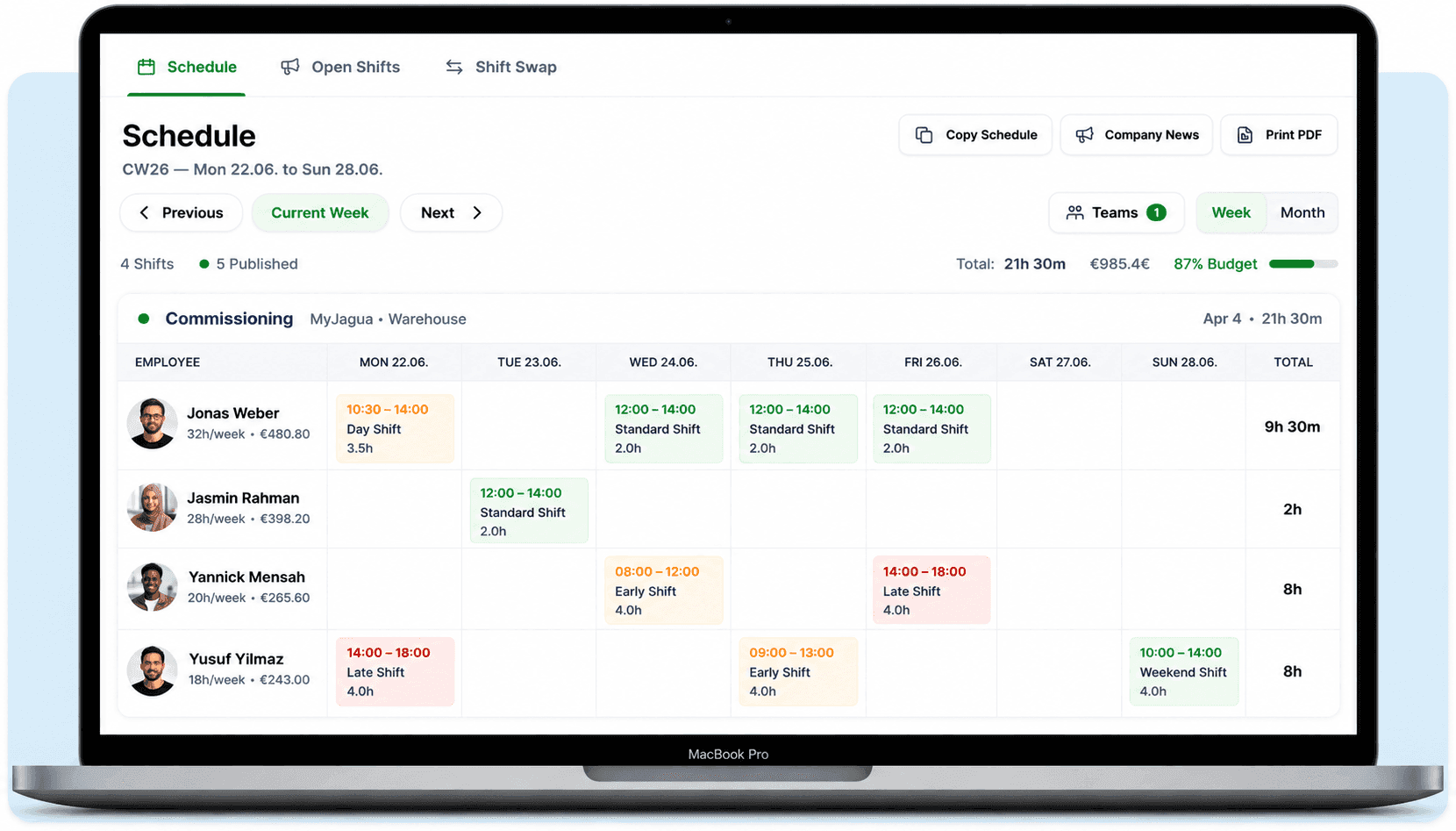
Per-site deployment planning for premises, events & patrol
Plan changing sites and 24/7 staffing by drag & drop. Shiftdesk flags night-work requirements under ArbZG and shows which staff hold a §34a certificate.
- Shifts per site, each with its own staffing requirements
- §34a certificate per employee visible — schedule the qualified ones
- Notices on night work and maximum working time under ArbZG
- Publish open shifts — cover event assignments at short notice
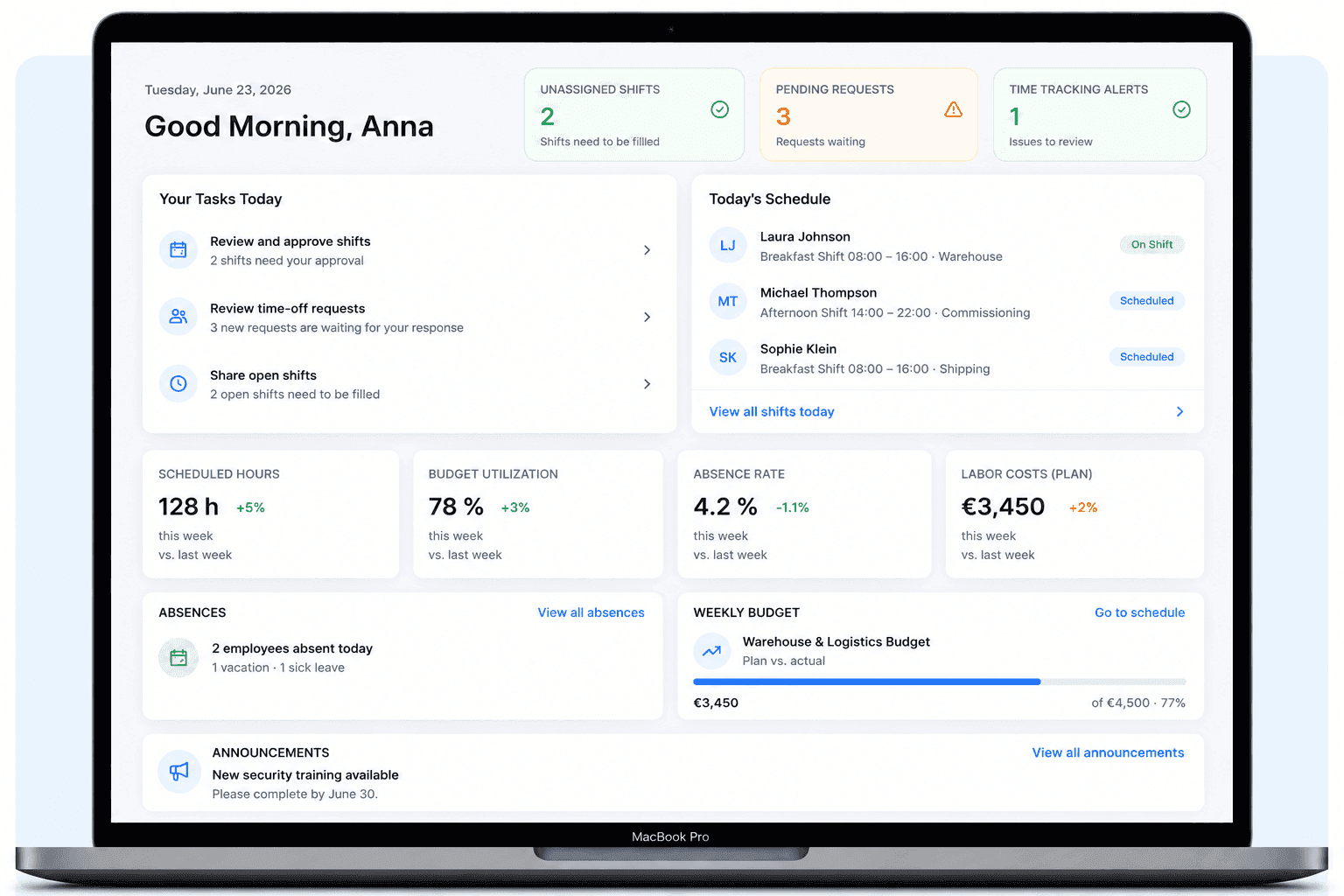
Deployment hours, premiums and coverage in view
Night premiums, hour accounts and coverage per site — bundled in one analytics dashboard you hand over to payroll prep.
- Night, Sunday and public-holiday premiums recorded automatically
- Hour accounts per employee and site, DATEV export
- Coverage and minimum staffing per site visible
How Shiftdesk supports deployment planning in security services
Deployment planning per site
Schedule shifts per deployment site. Each site has its own staffing requirements and shift patterns.
Night-shift notices
Automatic notices on night-work rules, rest periods, and maximum working hours under ArbZG.
§34a qualification check
Flag employees with a §34a certificate and schedule only qualified staff onto the right sites.
Mobile time tracking on site
Employees clock in and out on site via smartphone. GPS-backed and digitally documented.
Overtime control
Hours account with an automatic warning when weekly hours are exceeded.
Payroll prep with premiums
Capture night, Sunday, and public-holiday premiums automatically. DATEV export available.

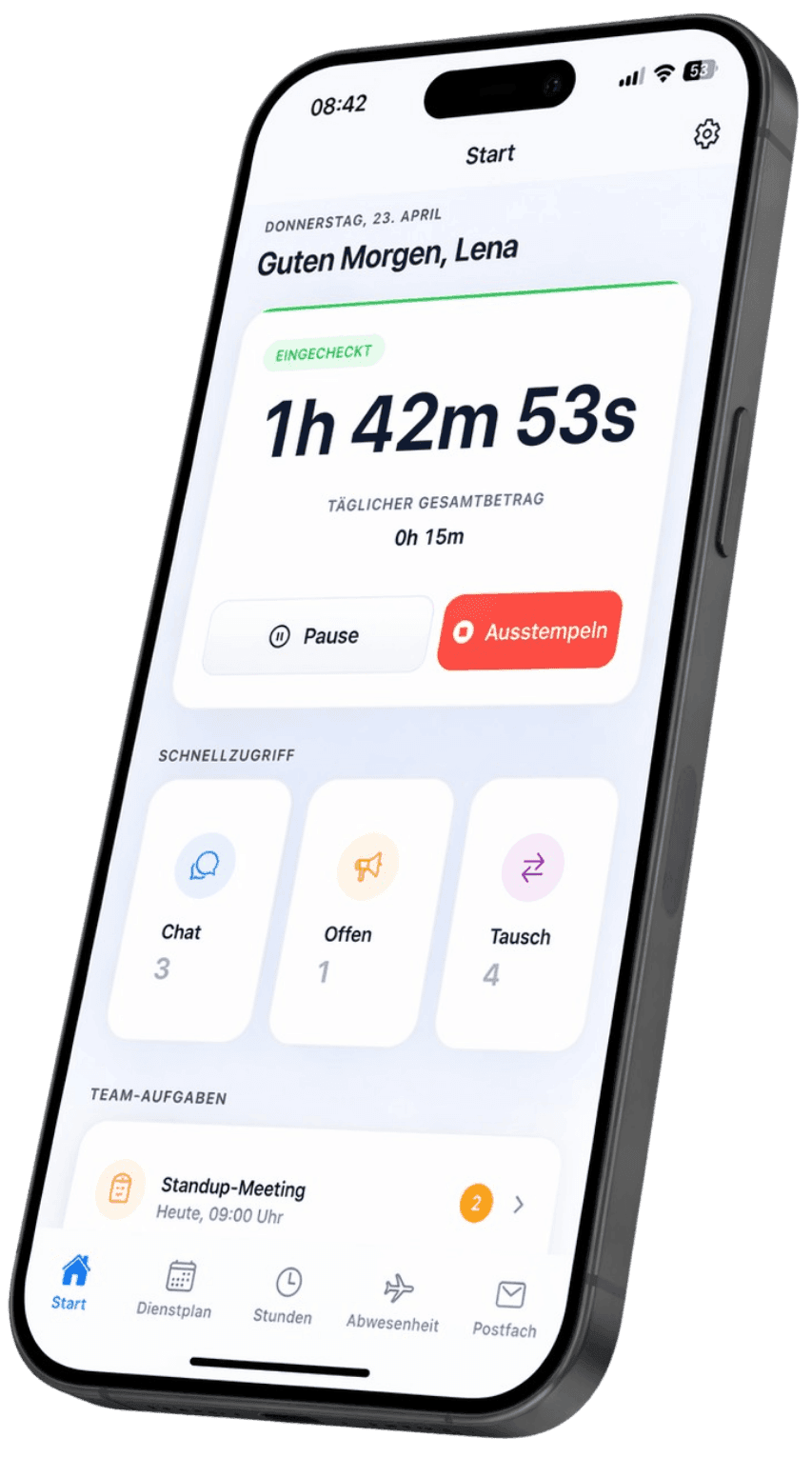
Staff-scheduling app for security teams
View the deployment schedule, swap shifts and clock in on site — without a notice board in the guardroom, without a chaotic WhatsApp group.
Swap a shift without the phone chain
A team member requests, the deployment lead confirms — done. Cover an absence in minutes, even on night duty.
Site and schedule changes to the phone
Push notification for new assignments, site changes and open shifts — live on every device.
Download for free — now on the App Store and Google Play


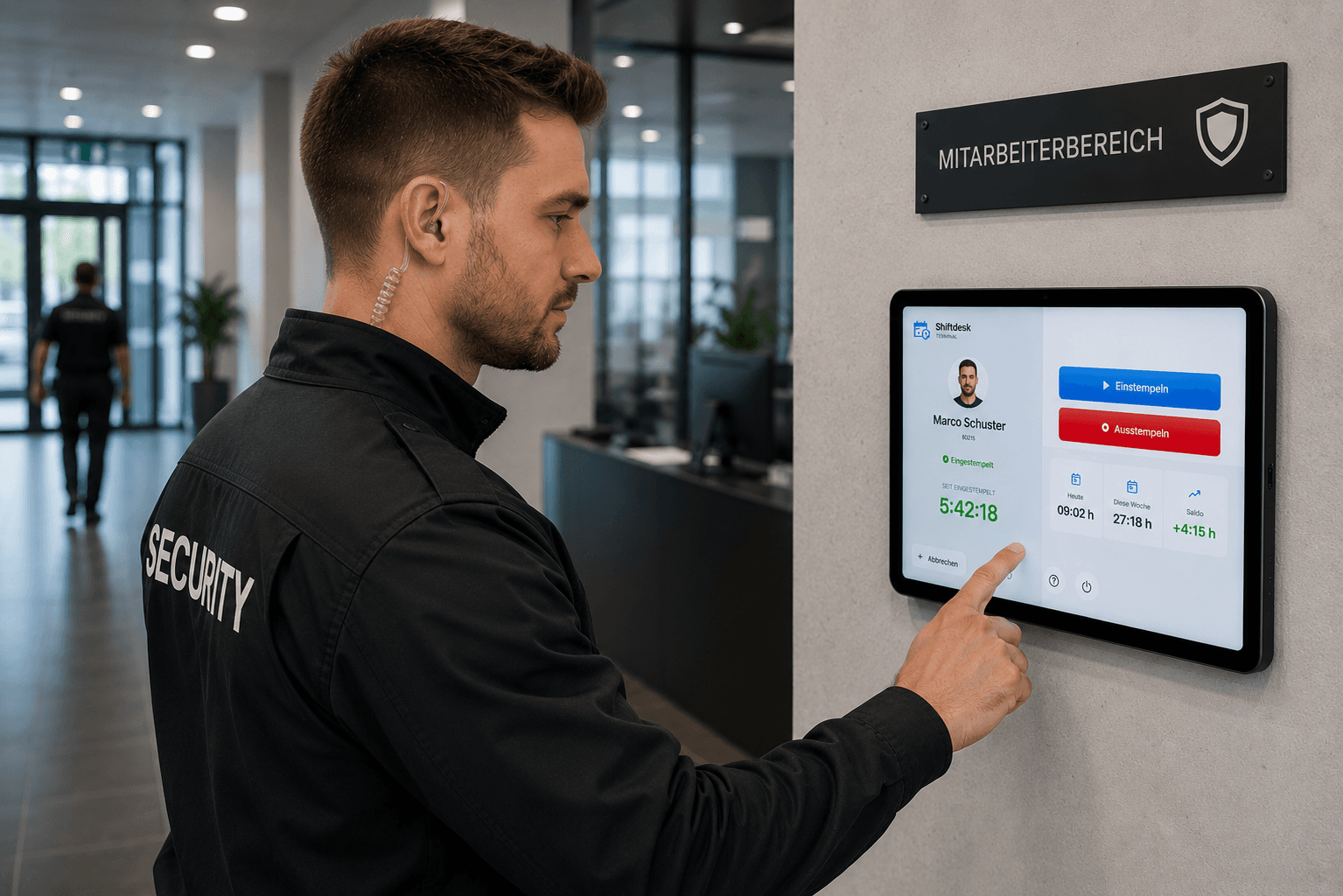
Tablet time clock for security services
Record clock-in and clock-out right at the gate lodge or staff area — by PIN, without every temp needing their own smartphone.
Clock in by PIN on site
Pick your name, confirm your PIN, done. No personal account and no private smartphone needed for staff.
Built for 24/7 guard duty
Fixed to the site, lockable as a single app, with automatic reconnection after a network outage.
Get it now — on the App Store and Google Play
Staff scheduling and deployment planning in security services
Premises protection, event security and patrol duty, changing deployment sites, 24/7 staffing and high staff turnover: staff scheduling in security services is demanding. Shiftdesk models per-site deployment planning in one system — from a single works-security post to a security service managing many sites in parallel.
For event assignments in particular, fast reaction matters: extra staff are scheduled at short notice via open shifts. As staff-scheduling software for security services, Shiftdesk keeps hour accounts, night premiums and coverage per site in view and hands the analysis over to payroll via DATEV export.
Night shifts and maximum working time under ArbZG
Security work happens mostly at night and on weekends. Night work is subject to special requirements under German working-time law — for example on maximum working time and rest periods. When planning, Shiftdesk flags potential conflicts — as an informational notice in the deployment schedule, not as legal advice. Collective-bargaining and company-specific special rules are reviewed on your own responsibility.
§34a competence and deployment eligibility
Certain tasks in the security trade require a valid competence certificate under §34a of the German Trade Regulation Act (GewO). In Shiftdesk you flag staff who hold a §34a certificate, so it's visible during planning who is eligible for a site. The flag is an organizational aid and does not replace your own review of certificates and deadlines.
Frequently asked questions
Is Shiftdesk suitable for premises protection, events and patrol duty?
Can I take §34a qualifications into account when planning?
Does Shiftdesk flag night-work requirements under ArbZG?
Are night, Sunday and public-holiday premiums recorded, and can staff clock in on site?
Is there an app and a time clock for security services?
Discover all features
Related solutions, guides and tools
Ready for better shift scheduling?
Start your 14-day free trial now — free and no credit card required. Or book a personal demo.