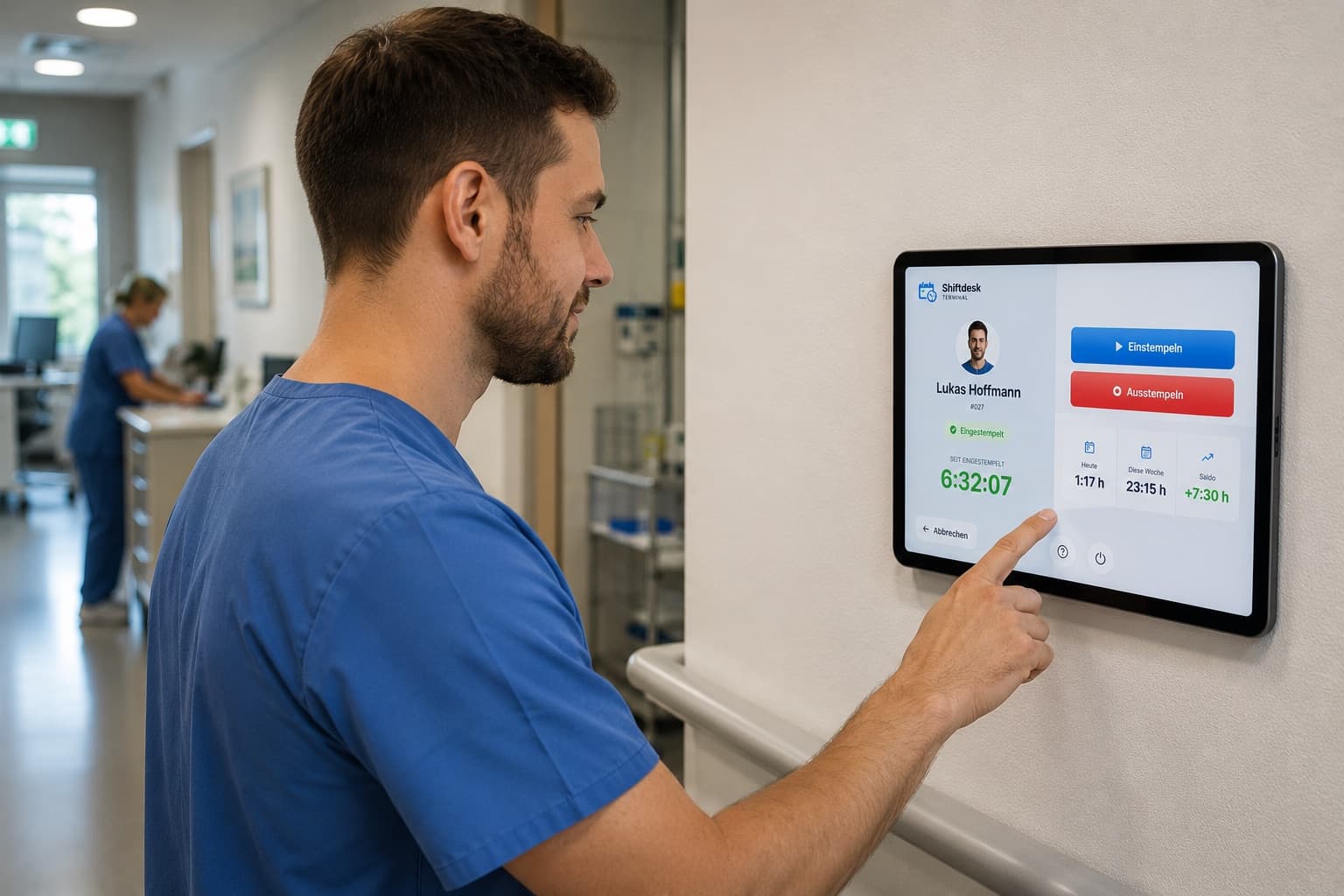


Tablet time clock – one tablet on the wall, your team clocks in within seconds.

Shiftdesk Terminal turns any iPad or Android tablet into a shared time clock for your location. Pick a name, enter a PIN, clock in β€” without a personal account and without an app installation for employees.

Planned for iPad & Android tablets Β· No employee account required Β· Hosted in Frankfurt

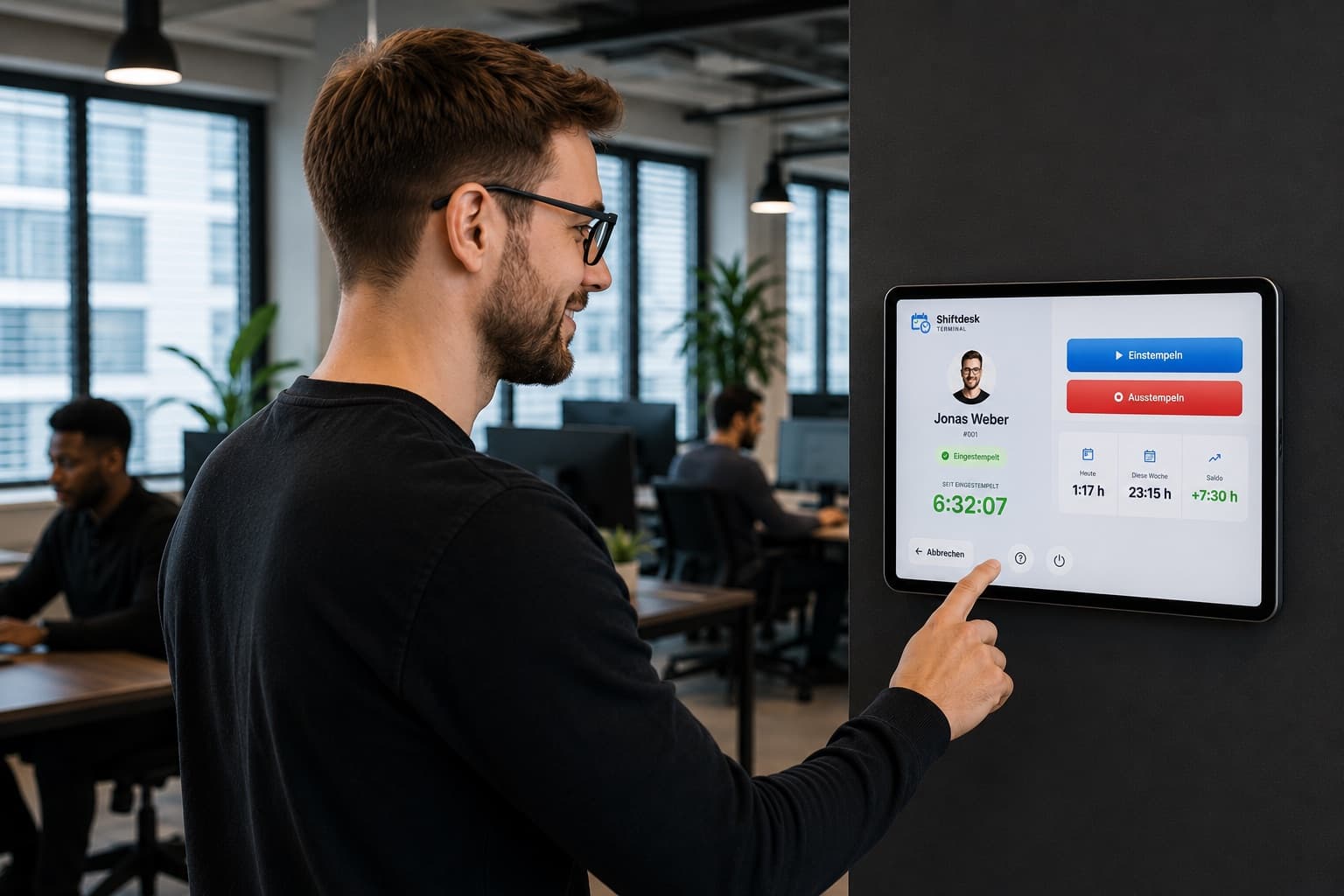
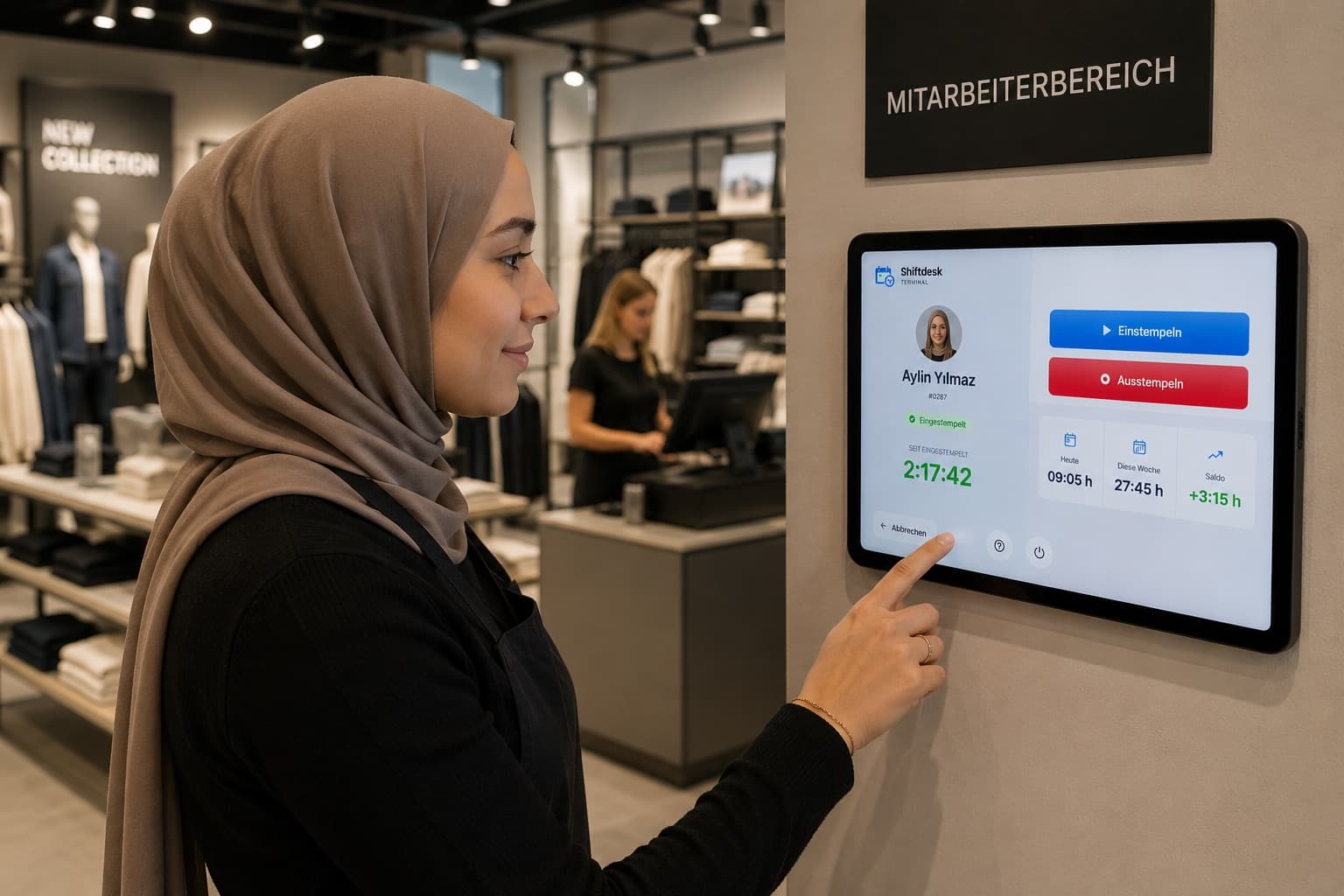
Employee clocking in at the Shiftdesk Terminal tablet time clock on the office wall
For iPad & Android tablets
No employee account required
Kiosk mode for continuous operation
Built on GDPR principles

The time clock for your team β€” shared device, personal clock-in

One tablet at your location replaces timesheets and punch cards. Every clock-in lands straight in Shiftdesk time tracking.

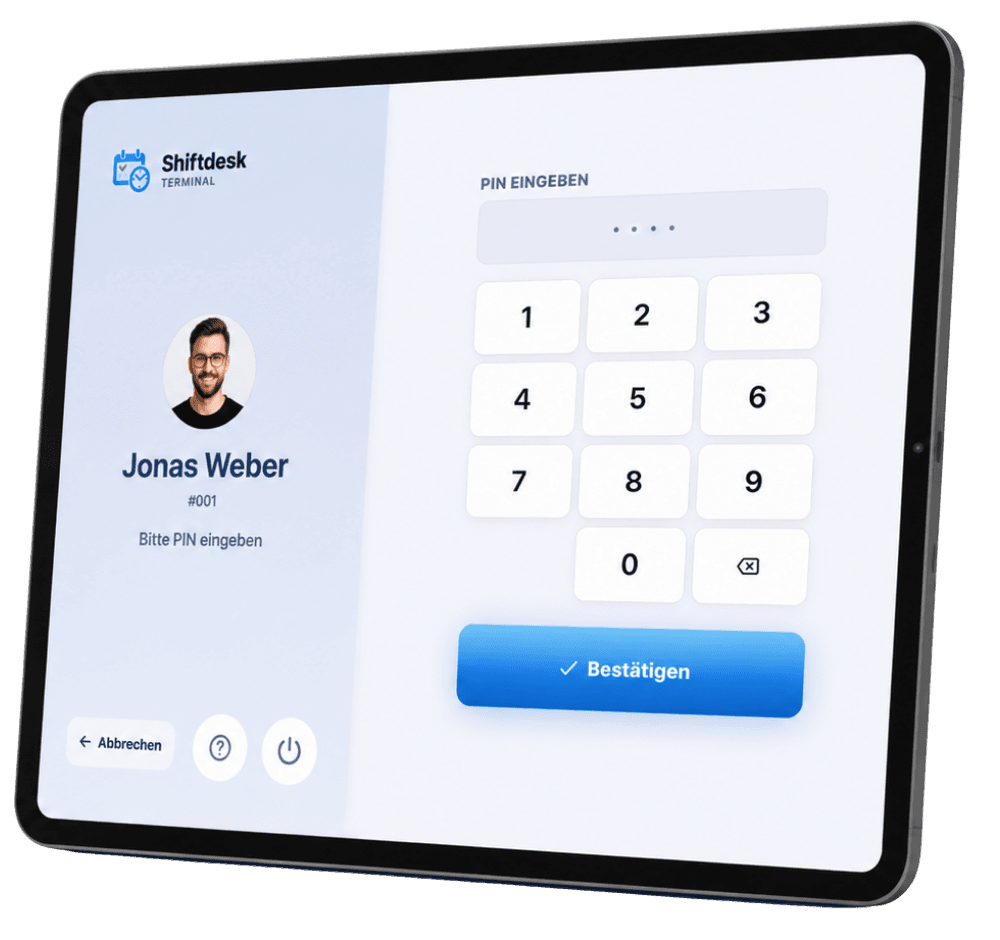
Shiftdesk Terminal tablet time clock – employee confirming with a personal PIN on the iPad

Clock in within seconds β€” without a personal account

Employees select their name or enter their employee number, confirm with their personal PIN β€” and clock in or out. No one needs a personal account, an app installation or a smartphone for it. That makes the tablet time clock ideal for temporary staff, mini-jobbers and anyone without a company phone.

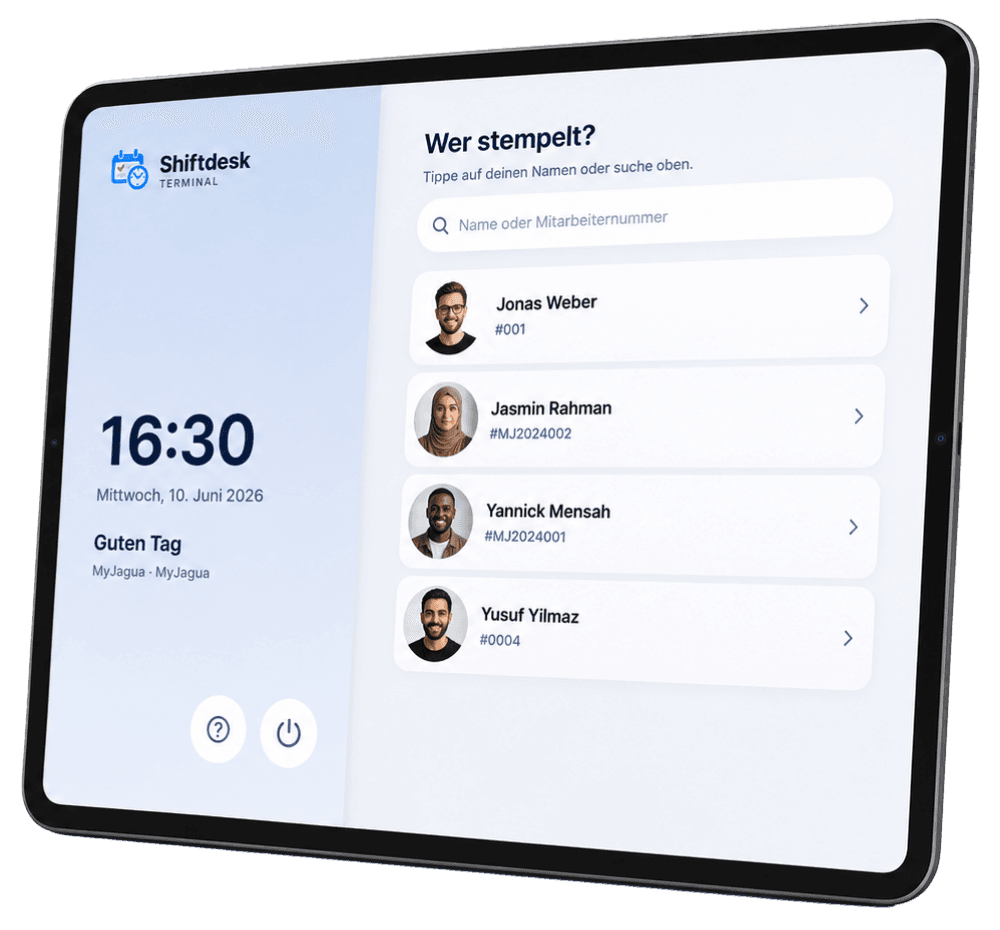
Shiftdesk Terminal – employee list with search and quick selection on the tablet

Team selection everyone understands

The terminal shows the employee list with search and A–Z quick selection β€” optionally with profile photos, which the employer has to enable explicitly. Large, clearly labeled controls keep the tablet on the wall easy to use even in passing β€” during shift changes just as well as with gloves on.

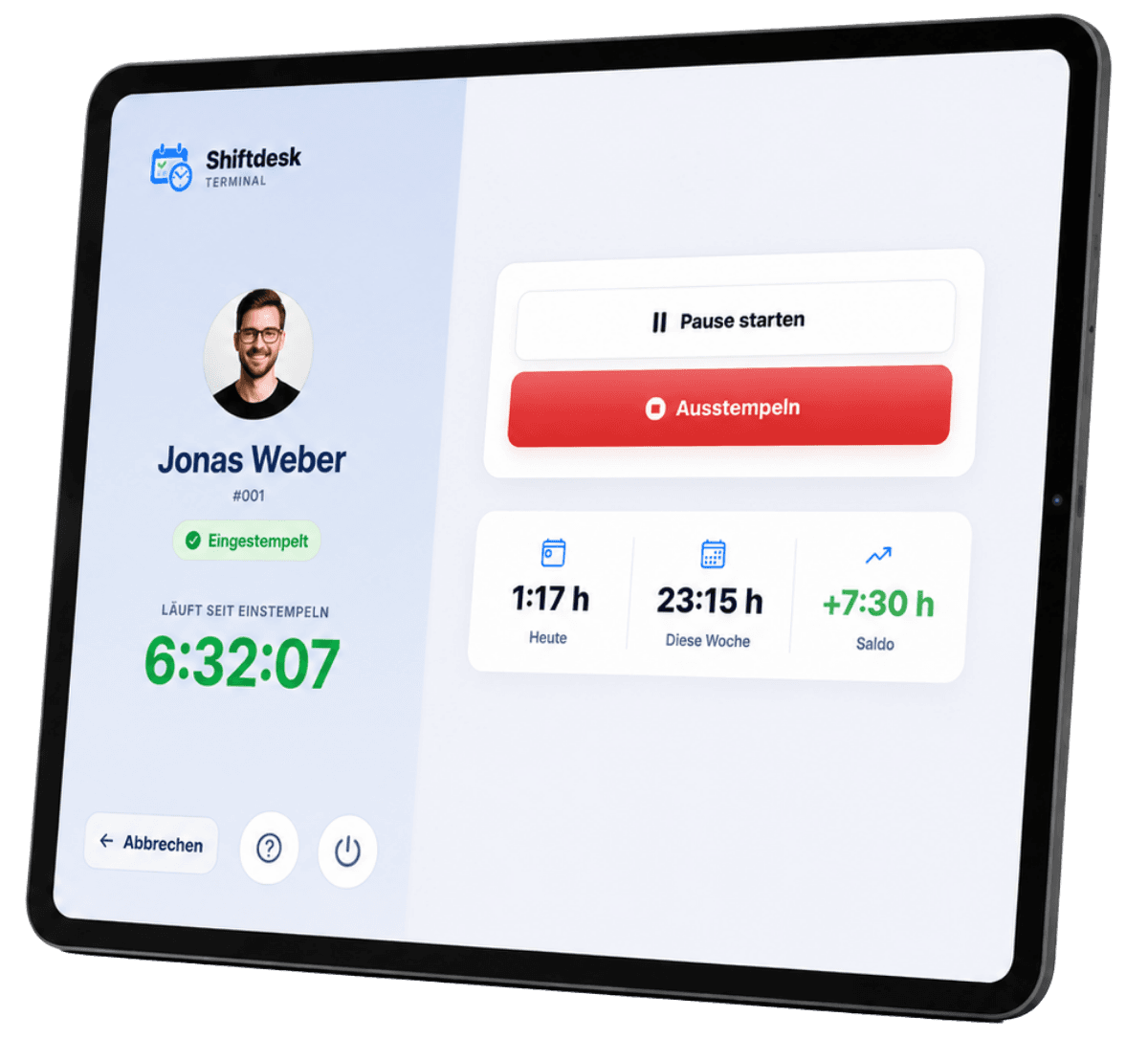
Shiftdesk Terminal – personal overview with daily hours, weekly hours and hours balance

Personal overview while clocking in

After entering the PIN, every employee sees the key figures at a glance: hours worked today, weekly hours, hours balance and the next shift. Questions like β€žHow many hours have I worked this week?β€œ are answered right at the terminal β€” without checking back with the office.

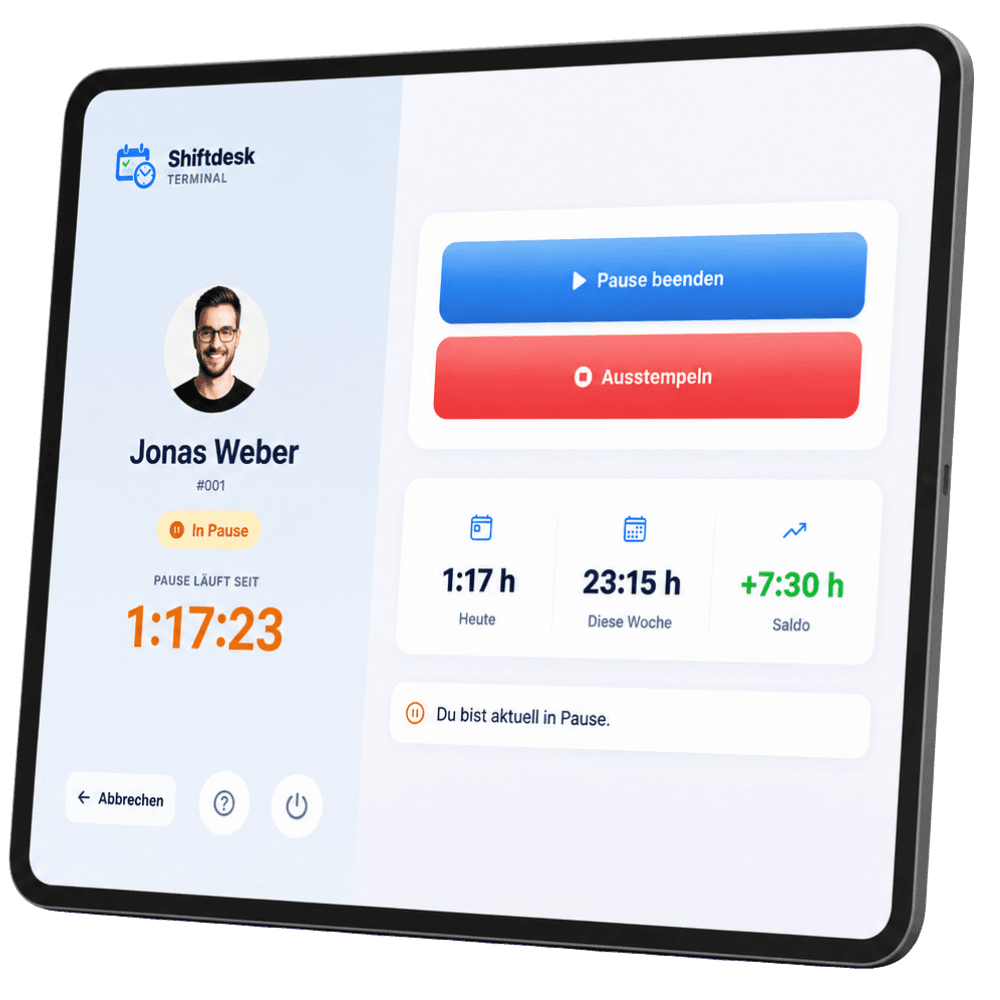
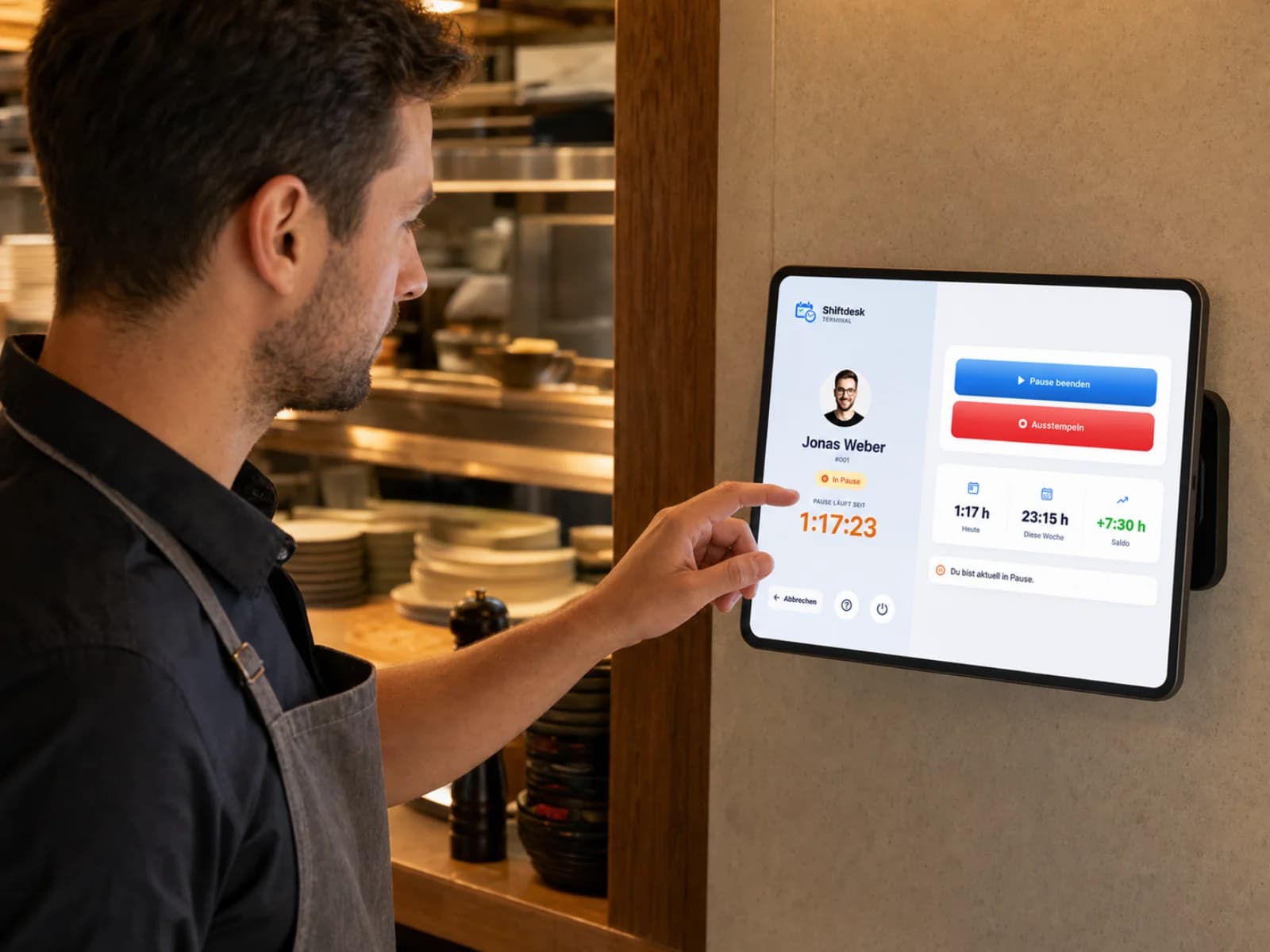
Shiftdesk Terminal – running break with visible break time on the tablet time clock

Breaks with a single tap

Start a break, end a break β€” the running break time is visible at all times. All clock entries flow straight into Shiftdesk time tracking: hours account, target-vs-actual comparison and break guidance based on German Working Hours Act (ArbZG) principles included.

Automatic location assignment

The terminal is permanently assigned to one location. Every clock-in lands at the right location automatically β€” without a GPS request on the device.

Kiosk mode

The tablet can be locked to a single app: Guided Access on iPadOS, screen pinning on Android.

Guided setup

Launch the terminal app, pair it with the location, mount it on the wall β€” the setup walks you through step by step.

Automatic reconnection

After a Wi-Fi dropout the terminal reconnects on its own β€” built for continuous operation at your location.

Set up once, then it runs on its own

Shiftdesk Terminal is built for permanent use at your location β€” from the first pairing to everyday life on the wall.

  1. 01

    Terminal app onto the tablet

    Download Shiftdesk Terminal from the Apple App Store (iPad) or Google Play (Android tablet) β€” free of charge.

  2. 02

    Pair it with the location

    The guided setup connects the tablet to your Shiftdesk account and the fixed location in just a few minutes.

  3. 03

    Onto the wall and lock it

    Mount the tablet and lock it to a single app: Guided Access on iPadOS, screen pinning on Android. From now on the terminal runs on its own.

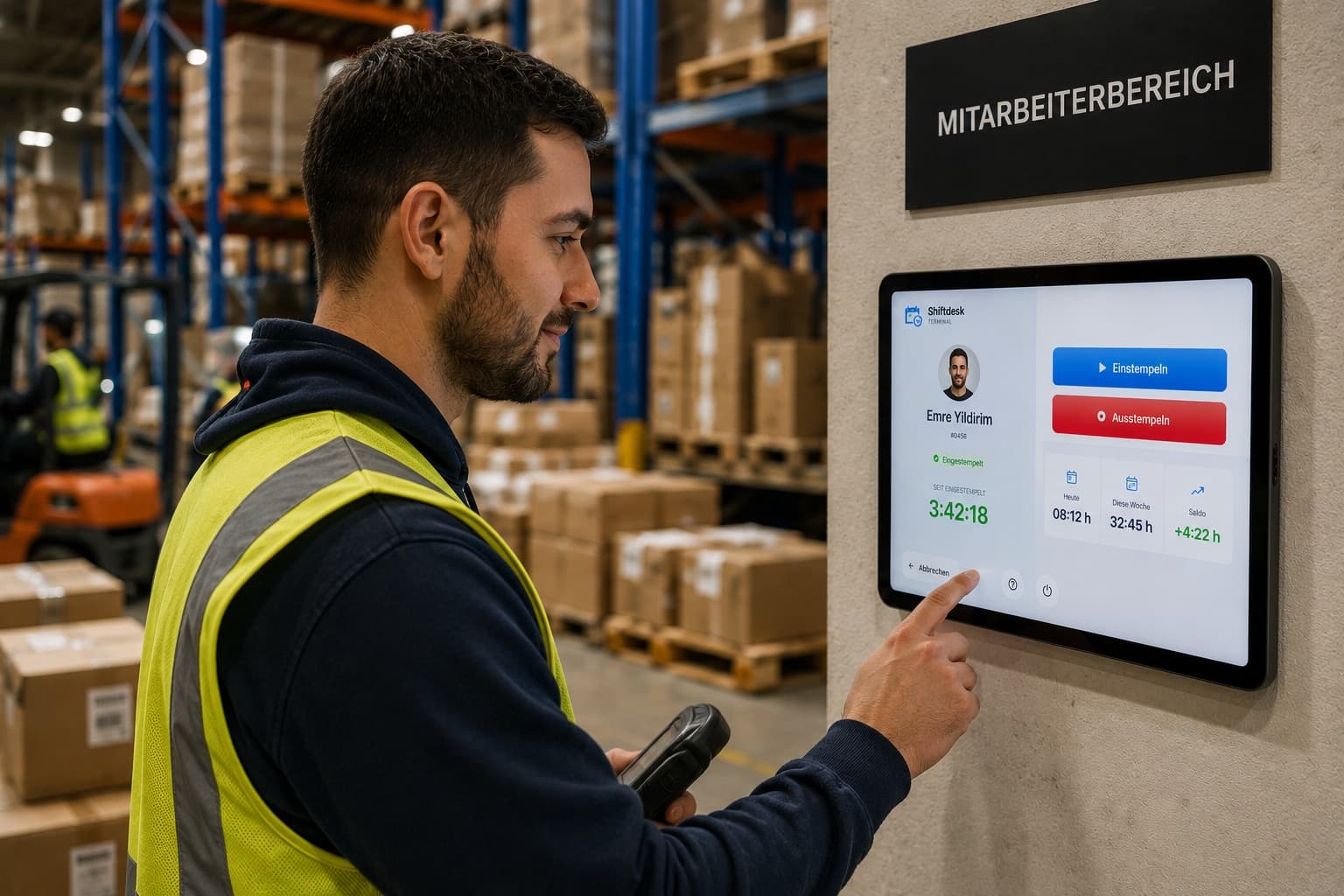
Shiftdesk Terminal in continuous operation – permanently mounted tablet time clock in a logistics center

Privacy built in β€” on the device everyone uses

A shared time clock displays personnel data right where many people pass by. That's why Shiftdesk Terminal is conservatively preset by default β€” and leaves you the choice of what's visible.

Built for the DACH market

Shiftdesk Terminal is built on GDPR principles and tailored to the requirements of businesses in Germany, Austria and Switzerland.

Employee numbers instead of names

On request, the terminal shows only employee numbers β€” names then stay invisible to others at the device.

Profile photos by opt-in only

Profile photos appear only when the employer explicitly enables them. By default the list stays photo-free.

No ads, no tracking SDKs

The terminal app contains no advertising and no third-party tracking SDKs.

No GPS request on the device

The location comes from the terminal's fixed assignment β€” the device does not request any position data.

Hosting in the EU

All data is hosted in Frankfurt and stays in the EU. A data processing agreement (DPA) is available for B2B customers.

More on hosting, encryption and data processing on the page Privacy & Hosting.

Now available for iPad and Android tablets

Download Shiftdesk Terminal for free from the Apple App Store onto your iPad or from Google Play onto your Android tablet.

App Store badgeGoogle Play badge

Available on the App Store and Google Play Β· Start your 14-day free trial of Shiftdesk today

Simple, fair pricing

Base fee plus a fair per-employee tier. All prices net, plus VAT.

Kiosk mode incl. Shiftdesk Terminal is included in the Pro and Enterprise plans.

Basic

€25

per month Β· 6 employees included

  • Shift scheduling with drag and drop
  • Time tracking (timer + manual)
  • Absences with leave balance
  • Up to 3 locations
Start free trial
Popular

Pro

€45

per month Β· 12 employees included

  • All Basic features
  • Unlimited locations
  • Payroll preparation & DATEV
  • Tablet time clock (kiosk mode)
Start free trial

Enterprise

€120

per month Β· 30 employees included

  • All Pro features
  • Public REST API
  • Budget management & custom fields
  • SLA support (8-hour response time)
Contact us
See all details and pricing calculator

All prices exclude VAT Β· Cancel anytime Β· No credit card required

What is a tablet time clock?

A tablet time clock is a permanently mounted tablet at which all employees of a location clock in and out β€” the modern form of the classic punch clock on the wall. Instead of punch cards, chips or ink ribbons, all it takes is an app on a standard iPad or Android tablet: pick a name, enter a PIN, clock in. The times land straight in digital time tracking, without anyone having to type up timesheets.

The most important difference from the time clock via app or browser: the terminal is a shared device. No one needs their own smartphone, their own account or an app installation. That makes the tablet time clock especially attractive for businesses with temporary staff, mini-jobbers and shift teams where not everyone has a company phone β€” or where private smartphones have no place on the floor.

Compared with a hardware punch clock, the tablet scores twice: it costs only the device itself, and the clock entries flow into the hours account, target-vs-actual comparison and payroll prep without a media break. You'll find a detailed comparison in the article β€žDigital time clock: app, browser or terminal?β€œ.

Terminal, app or browser β€” which fits which team?

The three capture methods don't rule each other out β€” they complement each other. The tablet terminal fits everywhere employees physically arrive at a location: store, kitchen, warehouse, ward. The scheduling app with built-in time clock is the right choice for mobile teams, field staff and anyone who already carries their schedule on their own smartphone. And the browser time clock covers office and home office β€” without installation.

With Shiftdesk, all three methods come together in one system: the target times come from scheduling, the actual times from the terminal, app or browser β€” the reconciliation happens automatically. The overview on time tracking shows how this works in detail. Background on the obligation to record working hours is provided by the article on the 2026 time-tracking obligation.

Shiftdesk Terminal at a glance

Shiftdesk Terminal is the tablet time clock of the Shiftdesk workforce management platform. It complements time tracking with a shared clock-in terminal at your location and works seamlessly with scheduling and the scheduling app. All clock entries flow into the hours account and payroll prep. More on the topic in the overview on the digital time clock.

Frequently asked questions about the tablet time clock

Which devices does Shiftdesk Terminal run on?β–Ό
Shiftdesk Terminal is designed for iPads (iPadOS) and Android tablets in landscape orientation. The app is deliberately lightweight and intended for continuous operation on the wall β€” it doesn't have to be a new or particularly powerful tablet.
Do employees need their own account or an app?β–Ό
No. Employees clock in right at the terminal: select a name or enter an employee number, confirm a personal PIN, done. Their own smartphone, an app installation or a personal account are not needed. Anyone who also wants to clock in on the go can use the Shiftdesk scheduling app.
Is Shiftdesk Terminal already available?β–Ό
Yes β€” Shiftdesk Terminal is available on the Apple App Store (iPad) and on Google Play (Android tablets). You can also test the underlying kiosk feature of Shiftdesk directly in your browser.
What does the tablet time clock cost?β–Ό
Shiftdesk Terminal is part of kiosk mode and included in the Pro and Enterprise plans (Pro from EUR 45 per month plus VAT). There are no additional device fees β€” all you need is a standard tablet. Shiftdesk can be tested free for 14 days.
How is the tablet locked against other use?β–Ό
Via the kiosk mode of the respective operating system: on iPadOS, Guided Access locks the tablet to the terminal app; on Android, screen pinning does the same job. That way the device stays a pure time clock β€” other apps are out of reach.
How does Shiftdesk Terminal handle personnel data?β–Ό
The app is built on GDPR principles: hosting in Frankfurt (EU), no advertising, no tracking SDKs, no GPS request on the device. On request, the terminal shows only employee numbers instead of names; profile photos appear only after explicit activation by the employer. A data processing agreement (DPA) is available for B2B customers.
What happens if the Wi-Fi drops briefly?β–Ό
The terminal reconnects automatically after a connection drop as soon as the network is available again. For planned continuous operation we recommend a fixed power connection and a stable Wi-Fi at the mounting location.
Is every clock entry assigned to the right location?β–Ό
Yes. During setup, the terminal is permanently assigned to one location. Every clock entry on the device is automatically attributed to that location in Shiftdesk β€” without GPS and without manual selection by employees.

Ready for better shift scheduling?

Start your 14-day free trial now β€” free and no credit card required. Or book a personal demo.

Tablet Time Clock – Shiftdesk Terminal for iPad & Android | Shiftdesk