Industry solution
Staff scheduling for restaurants
Kitchen, service and peak hours in one dependable schedule.
No credit card required · Built on GDPR principles
Book a demo- Hosted in Frankfurt (EU)
- Cancel monthly
- 256-bit encryption

Shiftdesk combines staff scheduling, availability and time tracking for restaurants, cafés, bars and catering businesses. Plan early, mid, late and split duties, coordinate casual staff when someone drops out and publish changes straight to the employee app — without competing versions across spreadsheets, notice boards and chats.
* Informational notes based on statutory default values. Not legal advice. Collective-bargaining, company-specific and industry-specific special rules must be reviewed on your own responsibility.
Why restaurant staff scheduling changes so quickly
Every business knows these problems — Shiftdesk solves them digitally.
Peaks instead of steady demand
Preparation, lunch and dinner service require different staffing levels across kitchen, floor and bar.
Last-minute absences
A sick call shortly before a shift can trigger phone chains, chat messages and multiple versions of the schedule.
Casual and part-time staff
Different availabilities, contracted hours and working areas need to match before every assignment.
Split duties and late shifts
Lunch and dinner duty, long opening hours and work past midnight make working and rest periods harder to oversee.
Multiple areas and locations
Kitchen, floor, bar, terrace and each location need their own coverage while remaining manageable in one overall plan.
Planned and actual time diverge
An early finish, a late close-down or unplanned extra work needs to be traceable after the shift.
Match coverage to preparation, lunch and dinner service
Set your staffing need from your own reservations, experience and business data. Translate that need into specific shifts, keep uncovered periods visible and assign suitable team members intentionally.
Planning example
City-centre restaurant · Friday
3/3
6/7
3/3
8/9
4/4
Schematic illustration of a planning process. Shiftdesk does not automatically forecast reservations, revenue or staffing demand. The responsible planner sets the need using the business's own data.
When someone drops out just before service
A clear process replaces frantic phone chains and keeps the published schedule traceable.
- 1
Record the absence in the plan
The responsible person can see which period and working area needs new cover.
- 2
Mark the duty as open
The shift remains visible in the current plan with its time and working area.
- 3
Involve available team members
Suitable colleagues can see the open duty or be approached directly.
- 4
Approve and publish the assignment
Once a decision is made, the plan is updated and the change is published digitally.
How Shiftdesk brings structure to restaurant scheduling
Drag-and-drop staff schedule
Plan early, mid and late duties for kitchen, floor and bar. Reuse a typical week as a starting point without copying it blindly.
Working-time notices in the plan
Shiftdesk flags potential conflicts around rest periods, maximum working time and breaks based on the configured standard values.
Availability and absences
Check days off, leave and reported availability before assigning a casual or permanent team member to a shift.
Open shifts and swap requests
Available duties become visible to suitable team members. Requests and approvals run digitally instead of through hard-to-follow chats.
App, browser or tablet terminal
Track actual working time in the way that fits the business: on mobile, in a browser or with a personal PIN on a shared tablet.
Hour accounts and payroll prep
Compare planned and actual time, review hours for approval, and prepare time and premium data for downstream processing and DATEV.
How many hours fit within a German Minijob at the current hourly rate? Calculate it for free: Open the Minijob hours calculator
Simple, transparent pricing
A base fee plus a fair per-employee tier. All prices net, plus VAT.
Basic
per month · 6 employees included
- Shift scheduling with drag and drop
- Time tracking (timer + manual)
- Absences with leave balance
- Up to 3 locations
Pro
per month · 12 employees included
- All Basic features
- Unlimited locations
- Payroll preparation & DATEV
- Tablet time clock (kiosk mode)
Enterprise
per month · 30 employees included
- All Pro features
- Public REST API
- Budget management & custom fields
- SLA support (8-hour response time)
All prices exclude VAT · Cancel anytime · No credit card required
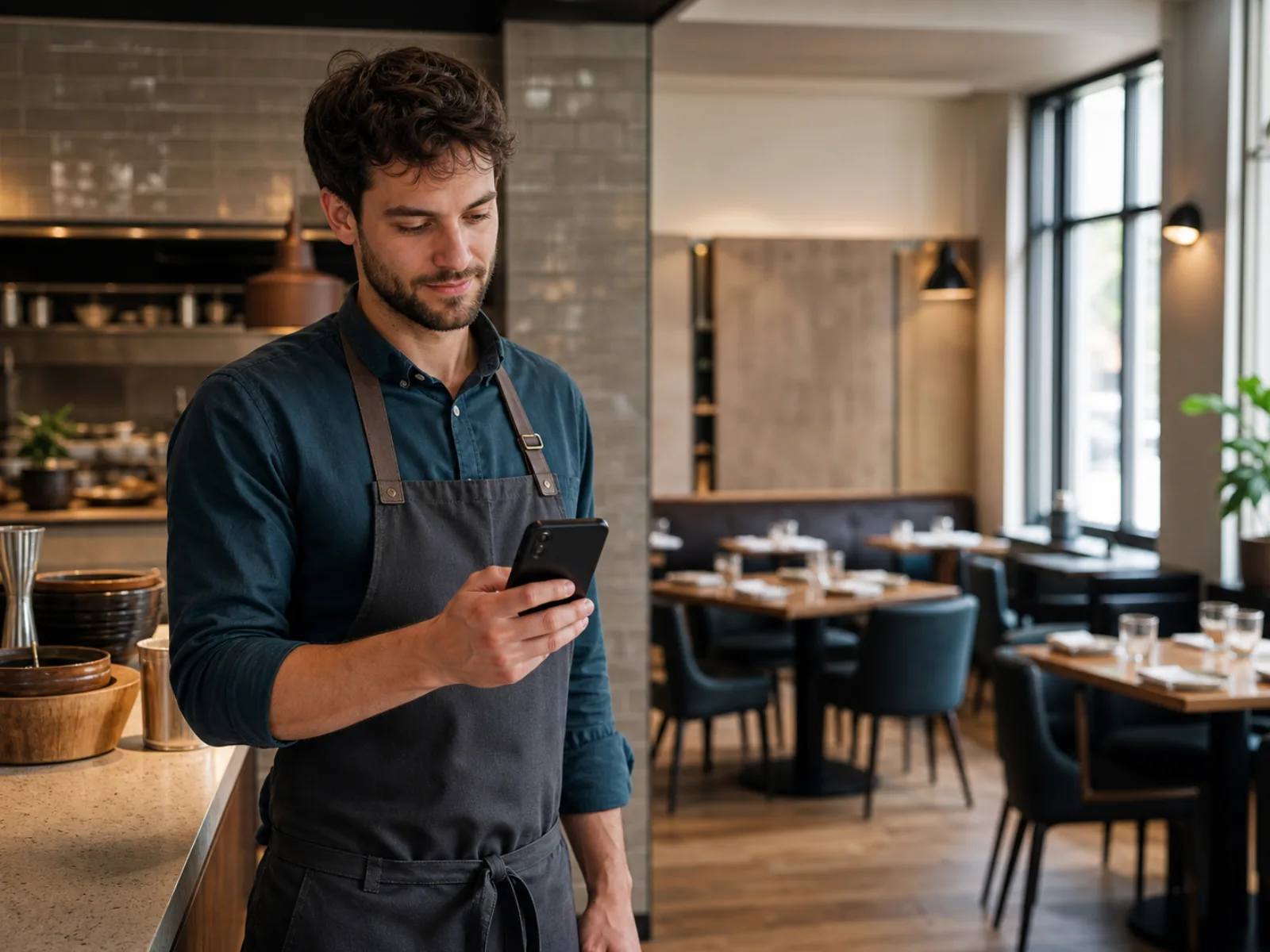
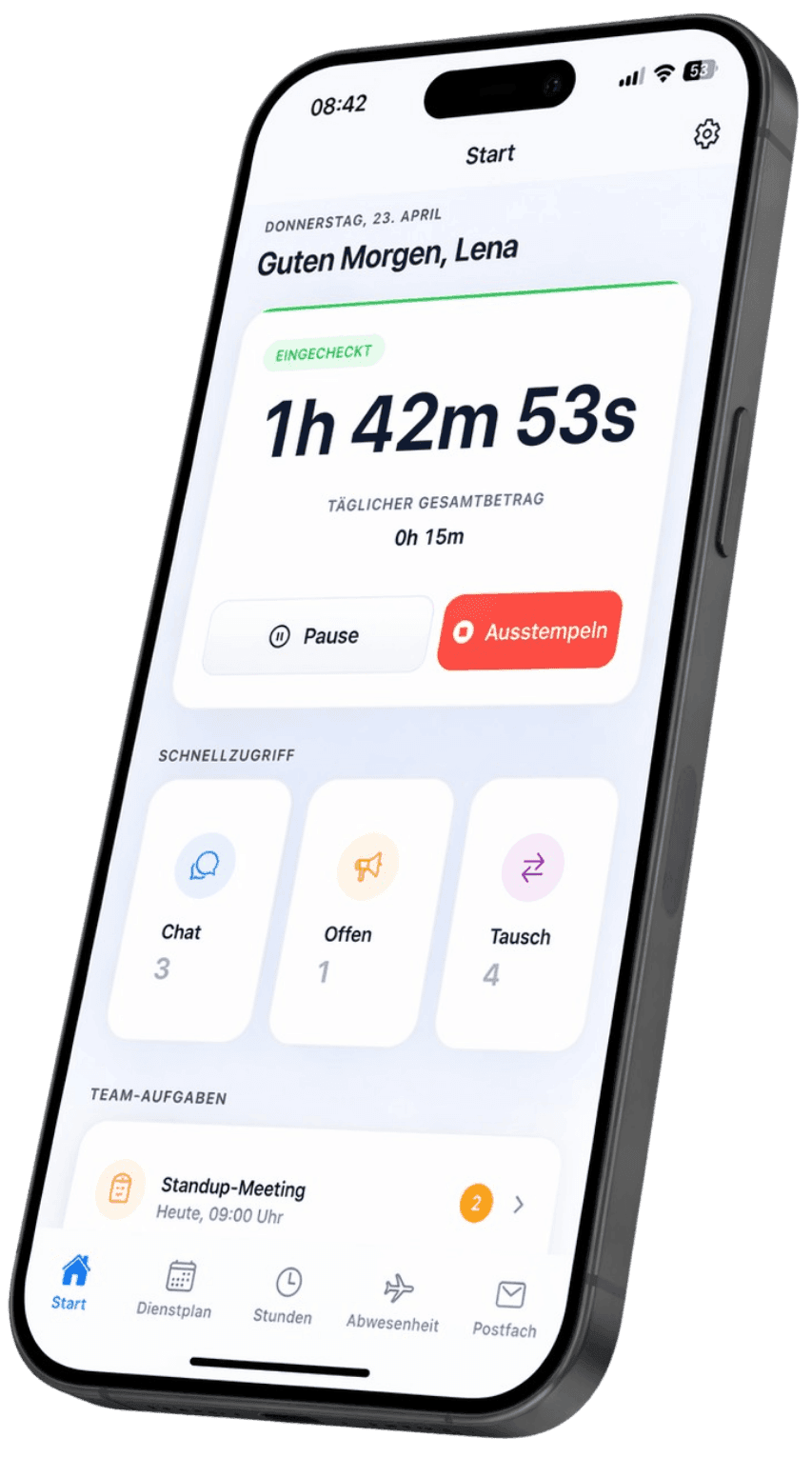
The current schedule fits in every apron pocket
Employees see published duties, changes and open shifts on their phone. Leave and swap requests reach the responsible planner instead of disappearing into private chat threads.
Shift swap with approval
A team member requests the swap digitally. The responsible person reviews and approves it before the published schedule changes.
Changes are immediately visible
New or adjusted duties appear in the app and browser after publication, reducing the risk of competing versions.
Download for free — now on the App Store and Google Play


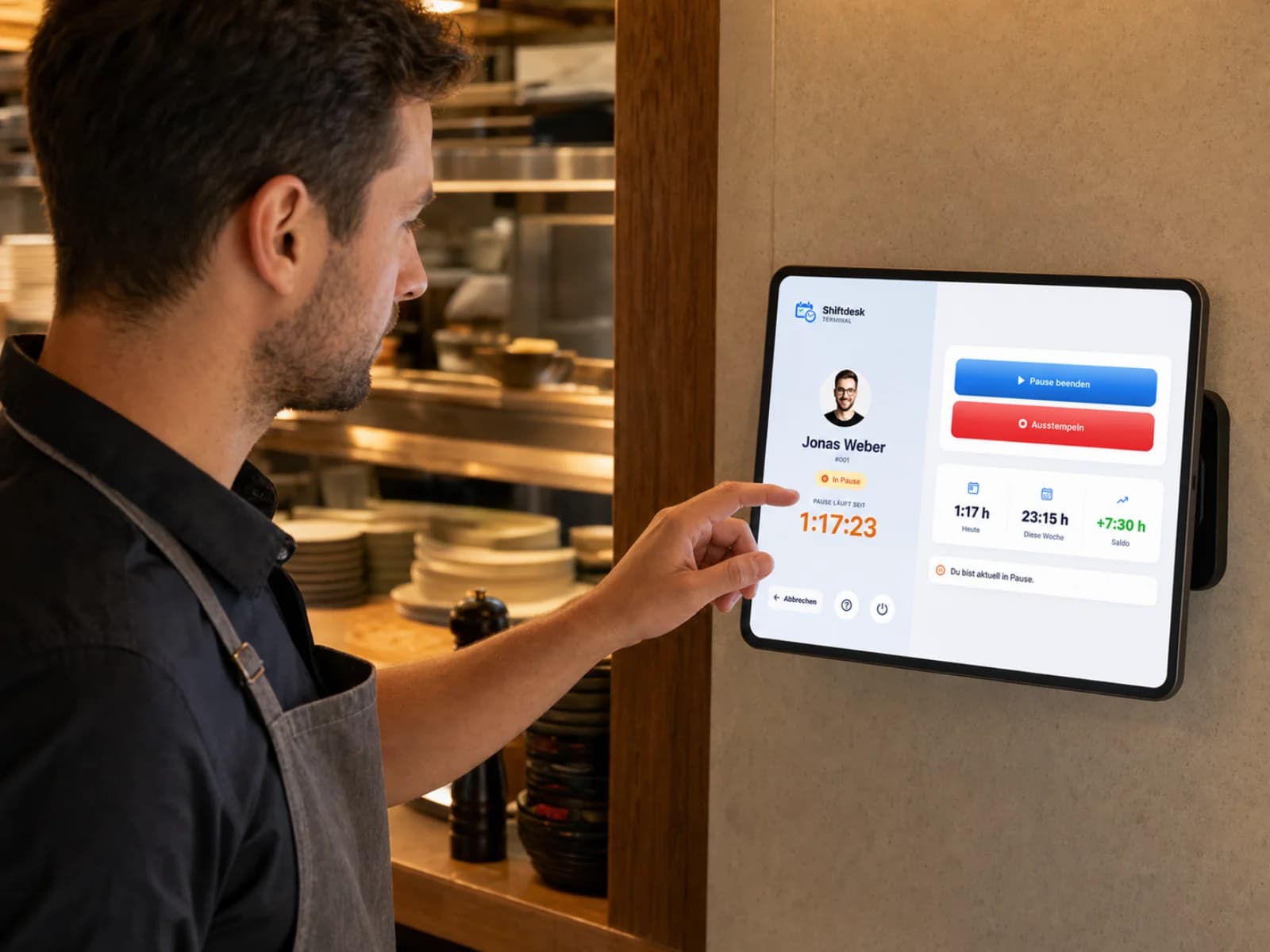
Tablet time clock for kitchen, floor and bar
A tablet assigned to the staff entrance or service station becomes the shared time clock. Casual workers do not need to use a private smartphone for time tracking.
Clock personally with a PIN
Employees select their profile, confirm their PIN and record start, break and finish on the business device.
Designed for day-to-day operation
The terminal remains assigned to its location and can run in kiosk mode. The app reconnects after an interrupted connection.
Get it now — on the App Store and Google Play
What restaurant staff scheduling software should cover
A restaurant schedule does more than distribute working hours. It connects opening times, preparation, expected peaks, skills and the availability of a team that may include full-time, part-time, trainee, student and Minijob staff. A useful plan therefore needs to reflect real working areas and return quickly to one dependable version after a change.
Shiftdesk organises shifts, absences, open duties and time tracking in one platform. The software does not decide how many people a service needs. The responsible manager sets that demand using the business's own reservations, experience, event data and operating requirements. Shiftdesk then helps translate the need into actual shifts and keep gaps visible.
Plan kitchen, floor and bar separately — manage them together
A chef cannot automatically cover a floor shift, and not every service employee has the skills needed at the bar. Areas, teams and locations help reflect those differences while keeping planning central and access focused on each manager's responsibility.
Cover peaks with overlapping duties
Instead of assigning one identical shift to everyone, combine early, mid and late duties. Additional colleagues can be planned only for preparation, lunch or dinner. The business still decides which staffing level is commercially and operationally appropriate.
Organise multiple restaurants or locations
With several locations, planners can see where a person is normally assigned and whether an internally approved move is possible. Shared shift names and roles reduce ambiguity without giving local managers unnecessarily broad access.
Notice board, spreadsheet and chat — or digital restaurant scheduling?
For a small and very stable team, a printed schedule or spreadsheet may be enough at first. Friction usually appears after the second or third change: a sick call arrives in chat, the spreadsheet is updated, a photo of the old notice board remains on several phones and actual hours later sit in another list. Each tool looks simple on its own, but the combined process creates questions and manual transfer work.
Digital scheduling becomes useful when changes are frequent, open duties need to be assigned, absences need approval or planned and actual time should meet in one workflow. The comparison shows typical processes and is not a blanket claim that every hospitality business needs software immediately.
| Criterion | Notice board | Spreadsheet + chat | Shiftdesk |
|---|---|---|---|
| Dependable schedule | Visible only on site | Depends on file and chat version | Published version in app and browser |
| Last-minute absence | Change by hand or print again | Message people and resend the file | Work with the open duty in the current plan |
| Swap request | In person or by phone | Group or private chat | Digital request with approval |
| Availability and leave | Separate list | More sheets or messages | Visible in the same system before assignment |
| Actual working time | Additional timesheet | Separate file or app | App, browser or tablet terminal |
| Payroll preparation | Transfer manually | Combine files | Review time and export it for DATEV |
Keep working time, breaks and rest periods visible
Late duties, Sundays and public holidays, and changing shift sequences are common in restaurant work. The published schedule shows intended working time; time tracking records when work actually started, paused and finished. Both views matter because a busy evening can push the planned finish later.
Based on configured standard values, Shiftdesk can flag potential conflicts around rest periods, maximum working time and breaks while planning. This is a control aid, not an automatic legal audit or legal advice. Industry exceptions, collective agreements, works agreements, youth-employment rules and compensation for reduced rest periods must be evaluated for the specific business.
Represent split duties transparently
A lunch duty and a second evening duty can be planned as separate shifts, keeping the start and finish of each period visible. Whether the time between them is legally free time, a break or part of a special arrangement depends on the real workflow and applicable rules.
Review planned and actual time before payroll prep
Recorded time should not flow into payroll prep unchecked. Responsible users can trace deviations, approve hours and prepare premium periods. Final payroll, tax assessment and payment remain with the payroll system or payroll team.
How to introduce a digital schedule in a restaurant
Start with a typical week, not the most complex event of the year. Set up the location, working areas, roles, contracted hours and commonly used shift times. Add approved absences, check availability and plan a full period with a small group of responsible users before publishing it to everyone.
Next, decide how employees will track time: by app, browser or a shared tablet terminal. Also define who may change shifts, approve swaps and review time. After the first payroll period, templates, notifications and exports can be improved using real questions without changing every process at once.
Which hospitality businesses fit this workflow?
The workflow suits restaurants, cafés, bars, bistros, restaurant groups and catering teams with changing shifts. Hotels with a front desk, housekeeping, night operation and many departments have a separate hotel page so the two operating models remain clear.
Example: prepare a busy Friday evening without schedule chaos
A restaurant manager can translate a self-assessed increase in demand into a traceable staff schedule.
- 1
Set the operating need
The manager reviews reservations, experience, opening hours and required roles using the business's own data.
- 2
Check the core team and absences
Contracted hours, availability and already approved days off are considered before assignment.
- 3
Cover lunch and dinner separately
Kitchen, floor and bar receive suitable and partly overlapping duties for preparation and peaks.
- 4
Publish the remaining open duty
The uncovered dinner period remains visible in the plan and suitable team members can request it.
- 5
Publish the plan and review actual time
After approval, the team sees the current version. Deviations are reviewed in time tracking after service.
Fictional process example for illustration, not a customer reference or a promise of automated reservation or staffing-demand forecasting.
Frequently asked questions
Which restaurant businesses can use Shiftdesk?
Can I schedule kitchen, floor and bar separately?
Does Shiftdesk automatically forecast staffing from reservations or revenue?
How do open shifts work after a last-minute absence?
Can split duties be scheduled?
Does Shiftdesk guarantee legally compliant rest periods and breaks?
Does every casual worker need a smartphone for time tracking?
Can Shiftdesk replace WhatsApp for staff scheduling?
Does Shiftdesk run restaurant payroll?
How quickly can a restaurant get started?
Discover all features
Ready for better shift scheduling?
Start your 14-day free trial now — free and no credit card required. Or book a personal demo.